


Table of Contents
- What a Wireless Charger for iPhone and AirPods Actually Needs to Do
- Qi and Qi2: Which Wireless Charging Standard Your iPhone Uses
- 2-in-1 Wireless Charger for iPhone and AirPods: Who It Fits
- When a 3-in-1 Apple Charging Station Makes More Sense
- AirPods Wireless Charging Compatibility by Model
- Power Adapters, Cables, and Real Charging Speed
- Heat, Overnight Charging, and Build Quality
- Conclusion
- Frequently Asked Questions
Last Updated: October 21, 2026
What a Wireless Charger for iPhone and AirPods Actually Needs to Do
A wireless charger for iPhone and AirPods needs three things: correct magnetic alignment, enough wattage for each device, and a design that keeps heat under control. Everything else is decoration. At Jackie's Attic, we sell these stands.

Here's the part most guides get wrong: a charger can be "Qi-certified" and still deliver a painfully slow top-up to your iPhone if the adapter in the box is undersized. Certification proves safety and basic interoperability. It says nothing about speed.
So before you compare prices, decide what you're actually charging:
- One iPhone on a magnetic pad, or a phone plus earbuds
- Whether a watch enters the picture (that changes everything)
- Whether the stand lives on a desk, a nightstand, or a bag
Answer those three and the buying decision mostly makes itself. Skip them and you'll buy twice.
Qi and Qi2: Which Wireless Charging Standard Your iPhone Uses
Qi is the baseline wireless charging standard, and Qi2 is its newer version built around magnetic alignment. Every iPhone that charges wirelessly supports Qi. Newer models add magnetic attachment, which is the feature that actually changes daily use.
Apple's implementation of that magnet system is MagSafe, and it's what lets a phone snap into place instead of sliding around hunting for the coil. The Wireless Power Consortium's Qi2 specification overview explains the standard itself, including the magnetic profile that Qi2 formalized.
Why does this matter for a wireless charger for iPhone and AirPods? Because magnetic alignment is the difference between a charger you trust and one you re-seat three times a night. A magnetic charger holds the coil centered. A plain Qi pad relies on you placing the phone correctly every single time.

2-in-1 Wireless Charger for iPhone and AirPods: Who It Fits
A 2-in-1 wireless charger for iPhone and AirPods fits anyone charging exactly two devices, and it's the right call for most people.
The appeal is footprint. A single stand replaces two cables and two wall adapters, which matters on a cramped nightstand or a shared desk.
Where it falls short: no watch charging, and the earbuds tray is often the weakest part of the design. On cheaper units, the bud spot is a low-power afterthought that trickles rather than charges.
Our 3-in-1 Folding Wireless Charger at $26.16 is the flexible middle ground here. It supports magnetic charging, folds flat for storage, and has an adjustable bracket. The Type-C interface with PD support means you're not hunting for a proprietary cable.
When a 3-in-1 Apple Charging Station Makes More Sense
A 3-in-1 Apple charging station earns its place when a watch is in the mix. If you own an iPhone, AirPods, and an Apple Watch, a two-device stand leaves you plugging in the watch by cable every night, which defeats the purpose.
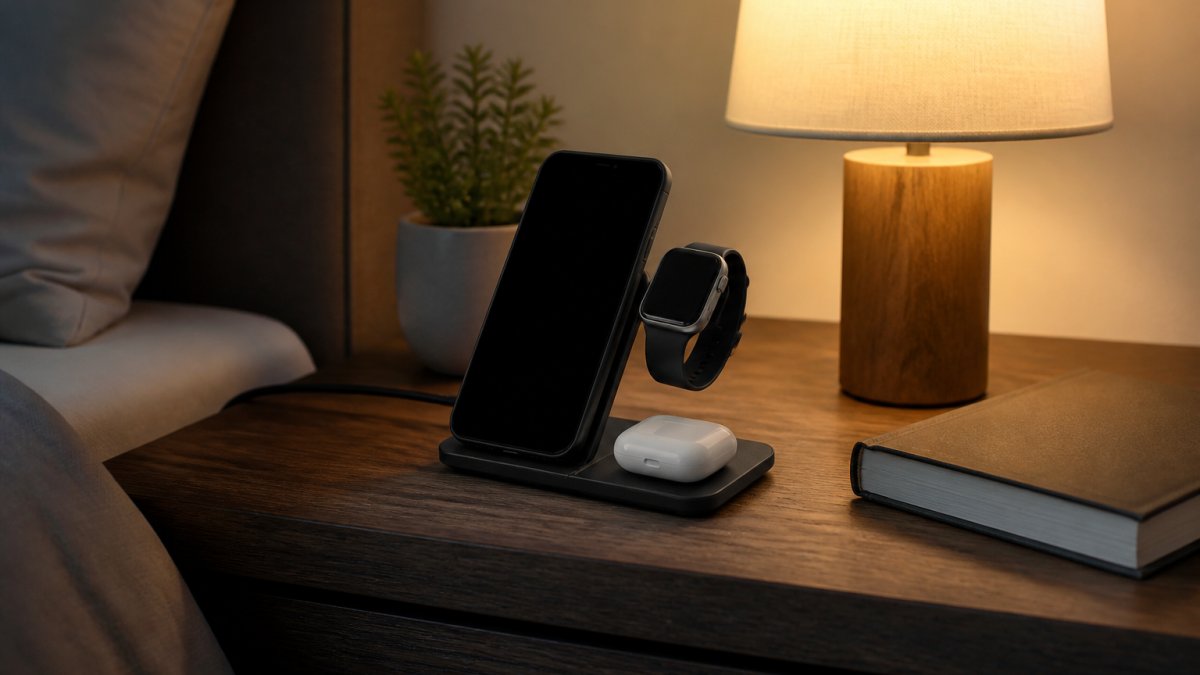
The trade-off is size and price. Three coils in one housing means a bigger base and a higher cost, and the watch puck is frequently the component that fails first on budget units.
Our 3 In 1 LED Fast Wireless Charger Stand at $15.06 handles phone, earbuds, and watch from one Type-C input. The dual-coil design is the detail worth noting.
AirPods Wireless Charging Compatibility by Model
AirPods wireless charging compatibility depends entirely on which case you own, not which buds. The earbuds themselves have no charging contacts for a pad; the case does the work. That single fact explains most of the confusion in reviews, because two people can own the same AirPods generation and get different results.
Here's the practical breakdown by model and case:
- AirPods Pro (1st and 2nd generation): the wireless charging case is included as standard. Both drop straight onto a Qi pad, and the 2nd-generation case adds a speaker and lanyard loop but keeps the same Qi coil. No special charger needed.
- AirPods (3rd generation): the wireless charging case is included as standard. Qi-compatible, and the case is splash and sweat resistant, which matters if it lives in a gym bag.
- AirPods (2nd generation): shipped with a wired-only case by default, with a separate wireless charging case sold as an option. This is the model where buyers most often assume wireless works and find out it doesn't. Check the case, not the receipt.
- AirPods (1st generation): wired case only. No wireless charging, and no official wireless case was ever sold for it. A Qi pad will not charge it, period.
- AirPods 4: the standard model ships with a USB-C case that does not support wireless charging; the ANC model ships with a wireless charging case that works on Qi pads. The two versions look nearly identical, so confirm the model name before buying.
- AirPods Max: no wireless charging at all. The Smart Case and the headphones themselves charge over USB-C or Lightning depending on generation. Do not buy a multi-device stand expecting to drop them on it.
The physical tell is simple. A wireless charging case has a small LED indicator on the front and no visible charging port on the bottom beyond the Lightning or USB-C connector. If your case only has the port and no front LED, it needs a cable.
3 In 1 LED Fast Wireless Charger Stand Foldable Charging Station →
One more thing worth knowing: the bud tray on most multi-device stands is low wattage by design, typically a 3W to 5W coil. AirPods cases hold a small battery, so a slow trickle is fine and is actually easier on the cell.
Power Adapters, Cables, and Real Charging Speed
Charging speed is set by the weakest link in the chain, and that link is almost always the wall adapter. A stand rated for 15W will not deliver 15W from a 5W phone charger. This is the single most common reason people think their new stand is defective, and it's the gap most buying guides skip entirely.
Most multi-device stands ship without an adapter. Read the input spec before you plug anything in, and match the adapter to the stand's total output rather than to a single coil:
- 2-in-1 stands (phone plus buds): look for a USB-C PD adapter rated at 20W or higher. The phone coil typically draws 7.5W to 15W depending on the iPhone model, and the bud tray adds 3W to 5W. A 20W adapter covers both with headroom.
- 3-in-1 stands (phone, buds, watch): look for 30W or higher. A stand rated at 15W total splits that across three devices, so it is not 15W each. If the listing says 15W total, expect roughly 7.5W to the phone, 3W to the buds, and 2W to 5W to the watch when all three are charging at once.
- Type-C input with PD support: the current standard. Pair it with a USB-C power delivery adapter rated above the stand's total output. Older USB-A adapters often cap at 5V/2A (10W) and will throttle a multi-device stand noticeably.
- Cable quality: a thin charge-only cable may negotiate a lower profile than the stand can accept. Use the cable that came with the stand, or a USB-C cable rated for at least 3A.
Real-world speed also depends on the phone. Magnetic charging on iPhone tops out well below what a wired fast charger delivers, and that's normal, not a fault.
Heat is the other variable. A phone that warms up during charging will slow its own intake to protect the battery, so a stand with ventilation and temperature control often charges faster in practice than a higher-rated stand with no airflow.
Heat, Overnight Charging, and Build Quality
Heat is the enemy, and overnight charging is where it shows up. A phone that sits on a pad for eight hours generates continuous low-level warmth, and a stand with no ventilation traps it against the coils.
What to look for:
- Ventilation holes or a raised coil housing so air moves behind the pad
- Temperature control and voltage protection listed as features, not buried in fine print
- Short-circuit prevention on anything that stays plugged in permanently
- A base with weight to it, so the stand doesn't slide when you lift the phone one-handed
Build quality is where budget stands separate. Hinges on foldable models are the first thing to loosen, and the watch puck arm on three-device units takes constant stress. A foldable design is genuinely useful for travel, but treat the hinge as a wear item.
Safety certification is worth a glance too. The U.S. Consumer Product Safety Commission publishes recall notices for charging accessories, and the Federal Communications Commission maintains equipment authorization records you can check for a specific model. Neither takes long, and both beat guessing.
Conclusion
The hard part isn't finding a wireless charger for iPhone and AirPods. It's matching the stand to the devices you actually carry every day, then pairing it with an adapter that can feed it properly.
That's the gap we built Jackie's Attic to close. Our 3 In 1 LED Fast Wireless Charger Stand at $15.06 covers phone, buds, and watch with dual-coil alignment and rear ventilation, while the 3-in-1 Folding Wireless Charger at $26.16 folds flat for travel with an adjustable bracket and magnetic charging. Both run Type-C with PD support, so you're not locked into a proprietary cable.
Start with an honest count of your devices, check your AirPods case for that front LED, and buy the stand that matches. Browse the charging collection at Jackie's Attic and set up a nightstand that stops needing attention.
Frequently Asked Questions
Can a charging station charge an iPhone and AirPods at the same time?
Yes. A 2-in-1 or 3-in-1 station has separate coils, so the phone pad and the earbuds pad run at the same time. The limit is total power, not device count: a 15W station splits its output, so each device charges slower than it would alone. Check the adapter rating before you buy. A 30W USB-C power adapter is the safe baseline for a 3-in-1 unit, and the stand needs to be plugged in for the full output.
Does any wireless charger work with Apple devices?
Any Qi-certified pad will charge an iPhone, but speed and alignment vary. MagSafe and Qi2 chargers use magnets to snap the phone into the right spot, which keeps charging speed steady. Older Qi pads work fine, you just have to place the phone carefully. For AirPods, the case must support wireless charging, which is standard on AirPods Pro and the wireless charging case for AirPods.
Do I need a MagSafe charger for my iPhone?
No, but it helps. A MagSafe or Qi2 charger holds the phone in place magnetically, so it will not slide off the pad overnight or stop charging when it shifts. Standard Qi pads still work. If you charge on a nightstand or in a car, magnetic alignment is the difference between waking up to a full battery and a phone that stopped charging at 2 a.m.
What should I look for in a wireless charger for iPhone and AirPods?
Check four things: Qi or Qi2 certification, the power adapter included or required, whether the AirPods pad is a separate coil, and the build. A foldable 3-in-1 like the Jackie's Attic stand at $15.06 covers phone, earbuds, and watch in one footprint, while the $26.16 folding model adds 30W output and magnetic alignment. Match the charger to how many devices you actually carry.


