


Last Updated: November 12, 2026
Quick Summary
Long charging cables can slow charging because extra length adds electrical resistance and voltage drop, but only past a certain point. A well-built 6-foot cable often performs the same as a 3-foot one, and USB-C Power Delivery negotiation and the e-marker chip can matter more than length.
- Thick conductors and higher voltage can cancel out the resistance added by extra cable length.
- A 5A e-marker lets a charger negotiate up to 100W at 20V and 5A.
- Test cables with a USB power meter, starting each run at roughly 20% to 30% battery.
- Compare wattage rather than battery percentage, and change only one variable at a time.
- Retire any cable that feels warm along its length, frays, or only charges at one angle.
Table of Contents
- Does Cable Length Affect Charging Speed?
- How Resistance and Voltage Drop Slow the Charge
- USB-C Cable Charging Speed: Why Negotiation Decides the Rate
- Phone Charging Slowly With Cable? A Step-by-Step Test
- Wire Gauge, Cable Quality, and What Cheap Cables Get Wrong
- How to Choose a Long Charging Cable That Keeps Its Speed
- Heat, Fraying, and Safety: When to Retire a Cable
- Picking a Cable From Jackie's Attic That Fits Your Setup
- Frequently Asked Questions
Does Cable Length Affect Charging Speed?
Yes, cable length can affect charging speed, but only past a certain point. A longer cable adds electrical resistance, and resistance can drag down the voltage your phone actually receives.
Does cable length affect charging speed in every case? No. A well-built 6-foot cable often performs the same as a 3-foot one. The trouble starts when length, thin wire, and a weak charger stack up together.
Below, we'll show you exactly how to test your own cable, what wire gauge means, and why USB-C negotiation matters more than most people think. But first, here's what most guides get wrong.
What Actually Happens Inside a Longer Cable
Every cable is a resistor. Current flows through copper wire, and the wire pushes back a little. Longer wire means more pushback.
That pushback is called electrical resistance. It rises with length and falls with thicker wire. A basic electronics reference on resistance and conductors explains the same principle: more material to travel through means more opposition to current.
So a long charging cable is not "bad." It is a longer path. Whether that path slows your charge depends on how much copper is in it.
When Length Stops Mattering
Length matters less than people fear. Two things cancel it out:
- Thick conductors. A 6-foot cable with heavy-gauge wire can beat a thin 3-foot cable.
- Higher voltage. Power Delivery chargers push higher voltage, so the same resistance costs a smaller share of the total.
A short, cheap, thin cable is often slower than a long, well-made one. Length is one variable, not the verdict.
How Resistance and Voltage Drop Slow the Charge
Voltage drop is the amount of voltage lost to resistance before power reaches your phone. More resistance means a bigger drop, so less voltage arrives at the battery.
Here is the chain, step by step:
- Your charger sends a set voltage and current down the cable.
- The cable's internal wiring resists that current.
- Some voltage is lost along the way as heat.
- Less voltage reaches the phone's charging circuitry.
- The phone pulls back on current to protect itself, and the charging rate falls.
That last step is the one people miss. The phone is not being punished by the cable. It is protecting itself.
A BGR explainer on charger cable length makes the same point: resistance grows with length and can reduce voltage. The fix is thicker wire or a shorter run, not panic.
USB-C Cable Charging Speed: Why Negotiation Decides the Rate
USB-C cable charging speed is decided mostly by negotiation, not length. Before any real power flows, your charger and phone talk to each other and agree on a voltage and current. That conversation is governed by USB Power Delivery (USB PD), the standard that lets a USB-C charger and device step up from the default 5V to higher voltages such as 9V, 15V, or 20V, and to higher current levels.
If that conversation fails, you get a slow, safe trickle no matter how short the cable is. If you want to check whether your own cable supports fast charging, our guide on fast charging cables walks through the signs.
Power Delivery and the e-Marker Chip
Many USB-C cables carry an e-marker chip that tells the charger what the cable can safely handle. The e-marker reports the cable's current rating, commonly 3A or 5A, and its supported data speed. A charger that sees a 5A-rated e-marker can negotiate up to 100W (20V at 5A); a cable with no e-marker, or one rated only 3A, caps the negotiation at a lower current.
No e-marker, or a failed handshake, and the charger defaults to a lower output. That is why a premium cable can feel slow on one charger and fast on another.
Why a Long Cable Does Not Always Reduce Charging Speed
This is the part most guides skip. In a USB PD system, the charger raises voltage to compensate for cable resistance. A 20V/3A negotiation (60W) loses less of its total voltage to a long cable's resistance than a 5V/3A negotiation (15W) does, because the drop is a smaller fraction of the higher voltage.
The cable's e-marker rating and conductor gauge can matter more than its length once PD negotiation is in play. Length becomes the deciding factor mainly when the cable is thin, uncertified, or asked to carry high current at low voltage.
Watch out: a cable can have an e-marker and still be poorly made, the chip reports capability, not build quality. A loose connector or damaged conductor can defeat negotiation even when the e-marker is present.
Phone Charging Slowly With Cable? A Step-by-Step Test
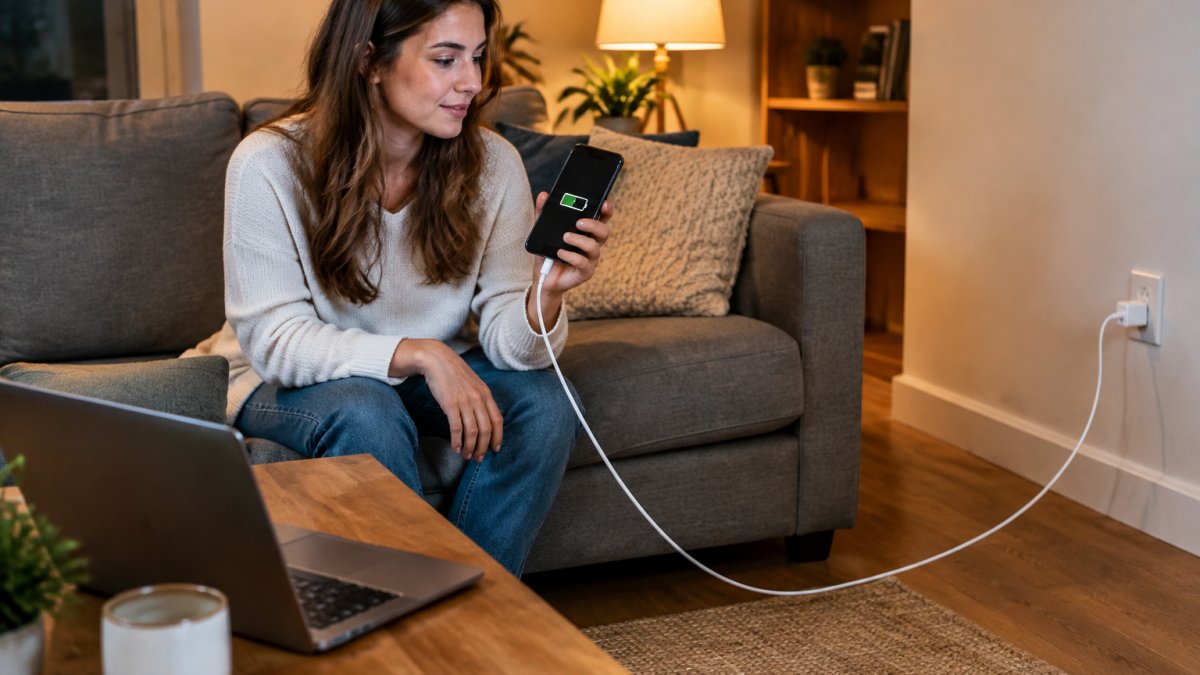
Phone charging slowly with cable problems are usually diagnosable in about fifteen minutes with one cheap tool: a USB power meter (also called a USB multimeter or USB tester). These inline meters sit between the charger and the cable and display live voltage, current, and wattage.
Total time: about 15 minutes
What you'll need: your phone, your charger, two cables (one short, one long), a USB power meter, and a clock
- Start from the same battery level each run. Charge or discharge to roughly the same percentage, 20% to 30% is a practical window, because charging rate tapers as the battery fills.
- Turn the screen off and leave the phone idle. Screen-on use and background apps pull current and muddy the comparison.
- Connect the meter between the charger and the short cable. Record the voltage, current, and wattage after two minutes of steady charging.
- Repeat with the long cable, same charger, same outlet, same starting battery level. Record the same three readings.
- Compare wattage, not percentage. A meaningful drop in watts points at the cable's resistance or negotiation. A big gap in voltage at the same current confirms voltage drop.
- Swap the charger and repeat once. If wattage stays low with a known-good charger, the cable or port is the weak link.
- Wiggle the connector while watching the meter. If current flickers, the cable or port is failing.
Expected result: you'll know whether the cable, the charger, or the port is the weak link, and you'll have wattage numbers to compare against the charger's rated output.
Watch out: testing with a different charger and cable at the same time tells you nothing. Change one variable at a time, and keep the starting battery level consistent between runs.
Here is the full test sequence at a glance, using a USB power meter and one variable changed at a time.
| Step | What to do | Note |
|---|---|---|
| 1 | Start each run at roughly 20% to 30% battery | Charging rate tapers as battery fills |
| 2 | Turn screen off and leave phone idle | Screen use and apps muddy comparison |
| 3 | Connect meter between charger and short cable | Record voltage, current, wattage after two minutes |
| 4 | Repeat with long cable, same charger and outlet | Record the same three readings |
| 5 | Compare wattage, not percentage | Voltage gap at same current confirms voltage drop |
| 6 | Swap charger and repeat once | Low wattage with known-good charger points to cable or port |
| 7 | Wiggle the connector while watching the meter | Flickering current means cable or port failing |
Wire Gauge, Cable Quality, and What Cheap Cables Get Wrong
Wire gauge is the thickness of the copper inside the cable. Lower gauge numbers mean thicker wire, and thicker wire means less resistance over the same distance.
Cheap cables cut corners in three places:
- Thin conductors that add resistance on longer runs
- Weak connectors that loosen and lose contact
- No e-marker chip, so fast-charge negotiation never happens
A common mistake is buying a long cable on length alone. In practice, a slightly shorter cable with better wire will often charge faster. If you're weighing whether budget cables are worth the risk, our piece on cheap charging cable safety covers what to check.
How to Choose a Long Charging Cable That Keeps Its Speed
Choosing a long charging cable comes down to four checks, and none of them is length.
- Match the cable to the charger's output rating. A high-wattage charger needs a cable rated for it.
- Look for an e-marker on USB-C cables rated for higher power.
- Prefer thicker, better-shielded cable over the thinnest option on the shelf.
- Buy for the job. A travel cable needs strain relief at the ends, not just extra feet.
For travel specifically, our roundup of durable USB-C cables for travel focuses on the cables that survive being coiled in a bag.
Heat, Fraying, and Safety: When to Retire a Cable
Heat is the tell. A cable that feels warm along its length is losing power as heat, and that is wasted energy at best.
Retire a cable when you see:
- Fraying at the connector ends
- A connector that wiggles or only charges at one angle
- Discolored or stiff spots along the cable
- Any warmth in the cable itself, not just the charger
A damaged cable raises resistance further, which makes the slow-charge problem worse and adds a real safety concern. Our guide to preventing charging cable fraying shows how to get more life out of the next one.
Picking a Cable From Jackie's Attic That Fits Your Setup
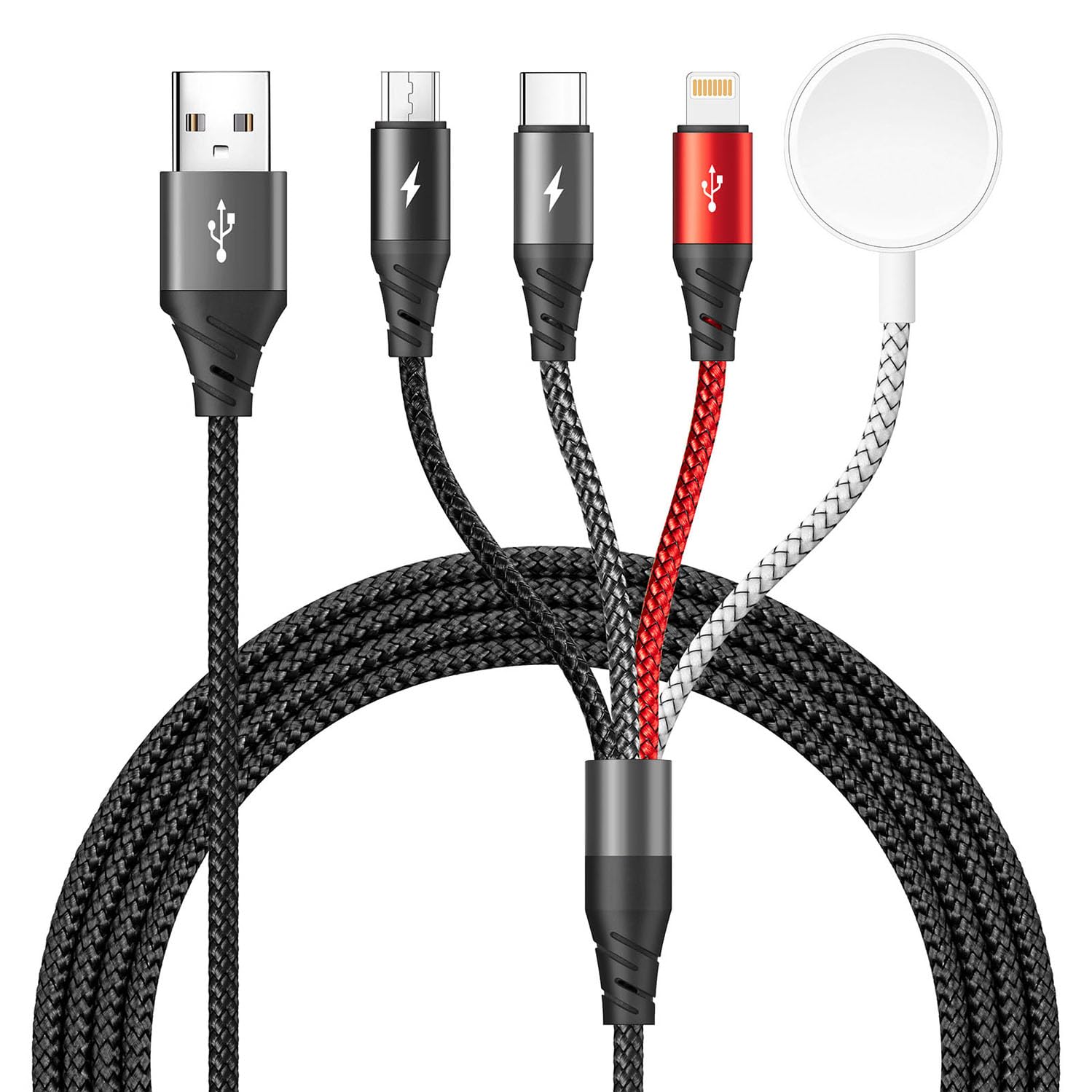
If you want one cable for several devices, the Upgraded Multi Charging Cable for Apple Watch Charger 4 in 1 is available at $50.71. It is a 4-foot multi-charging cable.
Long charging cables get blamed for problems that often start at the charger or the connector. Test before you replace, and buy cable quality over cable length.
At Jackie's Attic, we stock charging gear built for real daily use, including multi-device cables that cut clutter and keep your devices topped up. Browse our charging collection, check the specs against your charger, and add the one that fits your setup.
Frequently Asked Questions
Do longer charging cables charge phones more slowly?
They can, but length alone is not the deciding factor. A longer cable adds electrical resistance, which causes voltage drop, and once that drop passes a certain point the phone reduces its charging rate. A well-built 6-foot cable with thick conductors often charges as fast as a cheap 3-foot one. The combination of length, wire gauge, and connector quality determines whether long charging cables actually slow you down.
Does a long USB-C cable support fast charging?
Many do, but USB-C fast charging depends on more than the cable. The charger, the phone, and the cable all negotiate a power level through USB-C Power Delivery, and cables rated for higher wattage carry an e-marker chip that tells the charger what it can handle. A long USB-C cable without that chip, or one with thin internal wiring, may be capped at a lower wattage. Check the cable's output rating against your charger's wattage before assuming it will fast charge.
How can I tell whether my cable or charger is causing slow charging?
Run a simple swap test. Charge your phone with your usual cable and charger for 15 minutes and note the battery percentage gained. Then repeat with a known-good short cable, and again with a different charger. If the short cable fixes it, length or cable quality is the problem. If nothing changes, the charger's wattage or the phone's charging circuitry is the limit. Also inspect the connector for lint, fraying, or bent pins before buying anything new.
Does a thicker charging cable charge faster?
Thicker cables usually contain thicker copper conductors, which means lower resistance and less voltage drop over the same length. That helps most on longer runs, where a thin cable would lose more power as heat. Thickness is not a guarantee on its own, though. A thick cable with a poor connector or no fast-charge support can still underperform. Match the cable's output rating to your charger and look for certified construction rather than judging by appearance alone.


