


Last Updated: November 11, 2026
Quick Summary
Yes, wireless charging is slower than wired charging in most real-world setups, though the gap has narrowed with newer standards. Wireless power has climbed to around 25 W, but fast wired charging can still outpace it. The gap nearly disappears near 100%, so overnight charging finishes at roughly the same time.
- Wireless charging loses more power than wired charging, and the loss shows up as heat.
- A charger only delivers its rated power when the phone supports the same standard.
- A thick case, off-center placement, and trapped heat all slow wireless charging.
- Qi2 adds magnetic alignment and is designed to sustain 15 W more reliably than earlier pads.
- Keep a cable for fast top-ups in under thirty minutes; use wireless for nightstands and desks.
Table of Contents
- Wireless Charging vs Wired Charging: The Speed Gap in Plain Numbers
- Why Is Wireless Charging So Slow? The Coil-to-Coil Physics
- Charging Curves: How Speed Changes From 0% to 100%
- Does a Case Slow Wireless Charging? Alignment, Distance, and Heat
- Wireless vs Wired Charging Battery Health: Heat Is the Real Variable
- Wattage, Standards, and Phone Compatibility: What Your Charger Actually Delivers
- Picking a Charging Setup for Your Desk, Nightstand, or Car
- Frequently Asked Questions
Wireless Charging vs Wired Charging: The Speed Gap in Plain Numbers
Is wireless charging slower than wired charging? Yes, in most real-world setups it is, though the gap has narrowed with newer standards. The honest answer depends on your charger, your phone, and how you use both.
Here's the short version: a cable pushing power through a direct connection will usually beat a pad pushing power through the air. But "usually" is doing real work in that sentence. The gap shrinks or widens based on wattage, alignment, heat, and whether your phone is doing anything while it charges. Below, we break down exactly where wireless falls behind, where it catches up, and when the difference actually matters for your day.
Why Is Wireless Charging So Slow? The Coil-to-Coil Physics
Wireless charging loses energy at every step between the wall and your battery. A wired connection sends power straight down a copper cable with minimal conversion loss. A wireless pad has to convert that power to an alternating magnetic field, transmit it across a small gap, and convert it back to electricity inside your phone. Each conversion leaks energy as heat, and that heat is the real cost, because it forces the charger to throttle before the phone gets too warm.
The efficiency gap is measurable. Wireless charging loses more power than wired charging, and the loss shows up as warmth on the back of the phone and on the pad surface.
Wattage tiers matter more than the marketing number on the box, because a charger only delivers its rated power when the phone supports the same standard.
As EcoFlow's explainer on wireless charging standards notes, wireless power has climbed to around 25 W with newer standards, but fast wired charging can still outpace it. The physics hasn't changed; the engineering has just gotten better at managing the losses.
Watch out: a charger rated at 15 W will not deliver 15 W to a phone that only accepts a lower wireless input, and a thick case or off-center placement can cut the delivered power further.
Charging Curves: How Speed Changes From 0% to 100%
A charger's top speed tells you very little about how it actually behaves over a full charge. Every phone follows a charging curve: fast at low battery, slower in the middle, and slowest near full.
- 0% to 50%: Both wired and wireless move fastest here. This is where the wattage gap shows up most.
- 50% to 80%: Wired charging starts tapering. Wireless tapers earlier and harder because of heat buildup.
- 80% to 100%: Both slow down dramatically to protect the battery. The gap nearly disappears.
That last point matters. If you charge overnight, wireless and wired finish at roughly the same time because the final stretch is slow for everyone. If you need a quick top-up before leaving the house, wired wins clearly. Before you compare, confirm your cable actually supports fast charging with our guide to fast charging cables.
Does a Case Slow Wireless Charging? Alignment, Distance, and Heat
Yes, a thick case can slow wireless charging, and so can a misaligned phone. Wireless power has to travel through whatever sits between the coil in the pad and the coil in your phone.
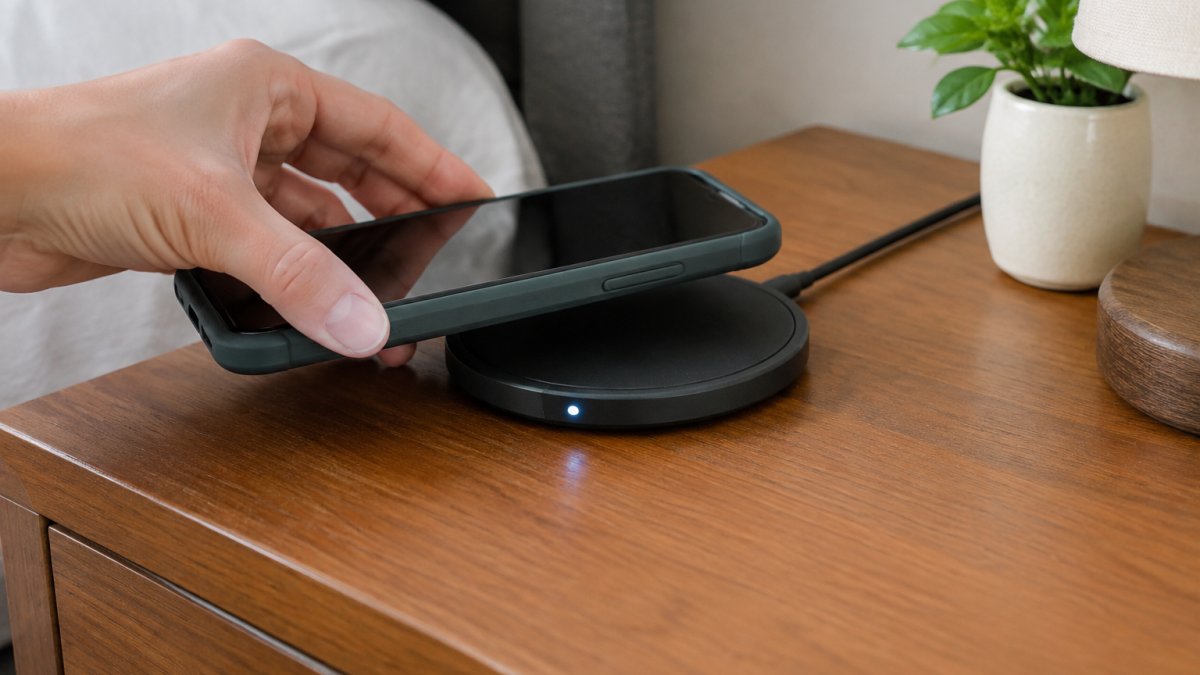
Three things kill wireless speed in practice:
- Distance: Every millimeter between coils weakens the field. Thick cases, pop sockets, and wallet attachments all add distance.
- Alignment: Off-center placement drops efficiency fast. Magnetic alignment systems solve this by snapping the phone into the right spot.
- Heat: A case traps heat against the phone, and heat forces the charger to slow down.
A thin case usually causes no noticeable slowdown. A heavy rugged case might. If your phone feels warm after twenty minutes on the pad, the charger is already throttling.
Wireless vs Wired Charging Battery Health: Heat Is the Real Variable
Heat, not the charging method itself, is what wears down a battery over time. Lithium-ion batteries degrade faster when they run hot, and wireless charging generates more heat because of those conversion losses.
That said, a well-designed wireless charger with temperature control and ventilation can run cool enough to cause no meaningful extra wear. A cheap pad with no cooling can cook your phone.
If you want to protect battery longevity, the practical rules are the same for both methods: avoid charging in direct sun, take the case off if your phone runs hot, and don't leave a fully charged phone baking on a pad all afternoon. Wireless charging isn't inherently bad for your battery. Sloppy heat management is.
Wattage, Standards, and Phone Compatibility: What Your Charger Actually Delivers
The number on the box is not the number your phone receives. A charger rated at a high wattage only delivers that power if your phone supports the same standard and negotiates the same profile. That negotiation is a handshake: the pad and the phone exchange capability data, then settle on the highest common profile. If either side lacks the profile, the charge drops to the next shared level.
The Qi standard is the baseline for wireless charging. Qi2 adds magnetic alignment for more consistent performance and is designed to sustain 15 W more reliably than earlier pads. If your phone predates these standards or uses a proprietary system, your real charging speed may be lower than the charger's rating. Magnetic alignment matters because it removes the alignment variable from the efficiency equation; a misaligned Qi pad can lose a meaningful share of its rated power before the phone even begins charging.
Wired speed has its own handshake. A USB-C cable rated for high wattage, a power adapter that supports the right fast-charging profile, and a phone that accepts that profile all have to line up. A fast charger paired with a low-rated cable will fall back to a slower profile. That is why two setups with the same wattage rating can produce different charge times.
A practical way to read compatibility is to compare three numbers: the charger's maximum output, the phone's maximum accepted wireless input, and the standard both support. The lowest of the three is your ceiling. For wired, add the cable and adapter ratings to that list.
Not sure whether your phone is even compatible? Our guide on whether wireless charging works with any phone walks through device support before you buy. iPhone and AirPods owners can also check our wireless charger buying guide for iPhone and AirPods to match a charger to the right standard.
| Setup | Typical Real Speed | Best For | Watch Out For |
|---|---|---|---|
| Basic Qi pad | Slow | Overnight charging | Misalignment, heat |
| Qi2 magnetic pad | Moderate to fast | Desk and nightstand | Needs compatible phone |
| Wired fast charger | Fastest | Quick top-ups | Cable and adapter quality |
| Multi-device station | Varies by device | Families, shared spaces | Shared power output |
Watch out: a multi-device station splits its output across devices, so a phone charging alongside a watch and earbuds may receive less power than the same phone on a single-device pad.
Picking a Charging Setup for Your Desk, Nightstand, or Car
Match the charger to the job, not to the spec sheet. Overnight charging on a nightstand doesn't need maximum wattage, because the charging curve slows near full anyway. A desk setup benefits from magnetic alignment so you can drop the phone and go.
For multi-device households, a folding station earns its space. Our 3-in-1 folding wireless charger charges a phone, watch, and earbuds together and features a convenient folding design for easy storage and portability. If you're building out a shared charging spot, our guide on setting up a wireless charging station for multiple devices covers placement and cable routing.
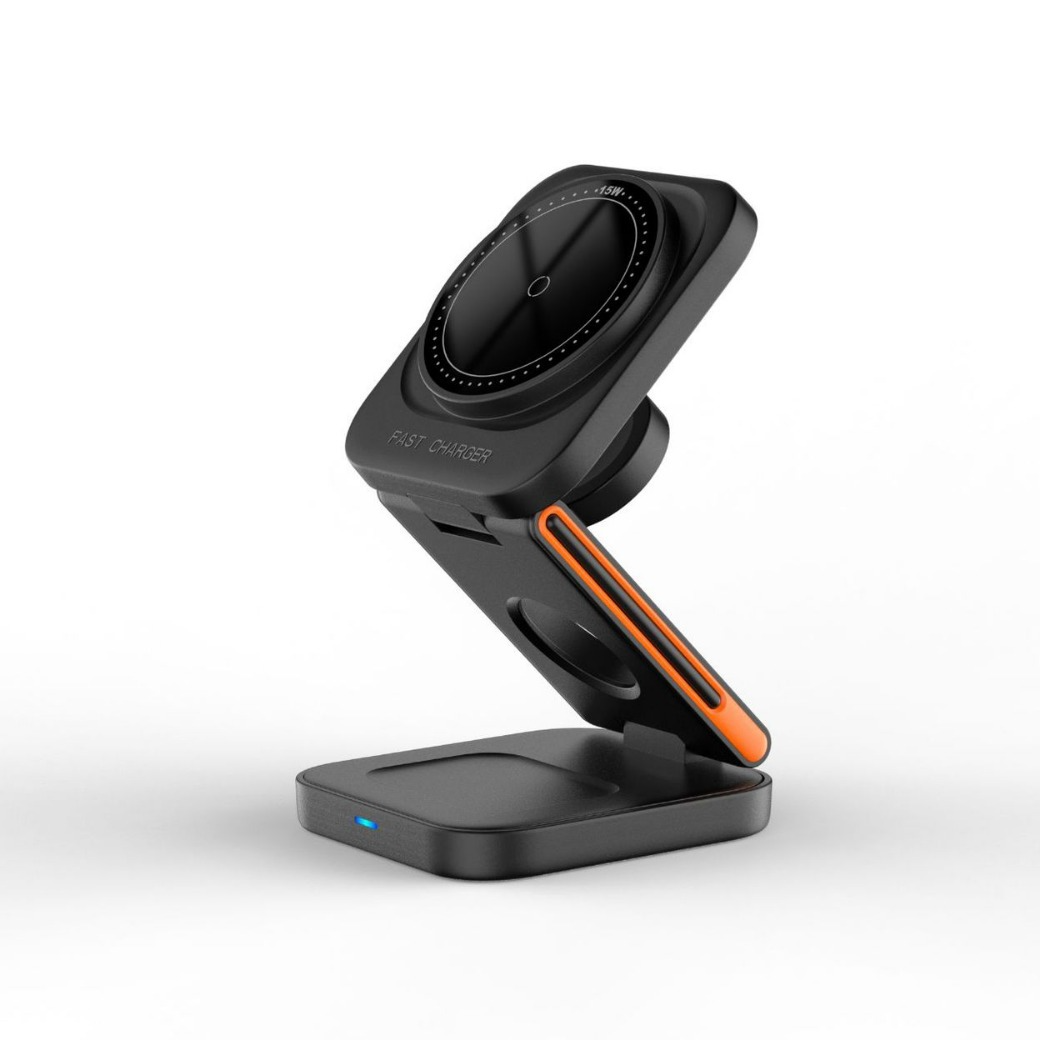
Best for: nightstands, desks, and shared family spaces where cable clutter is the real problem. Skip if: you regularly need a fast top-up in under thirty minutes. Keep a cable for that.
The honest takeaway: wireless charging is slower than wired in most head-to-head comparisons, but the gap only matters when you're in a hurry. For overnight and desk charging, convenience wins. If you want a setup that handles multiple devices without the cable mess, browse our charging collection and find the station that fits your space.
Frequently Asked Questions
Does wireless charge faster than wired?
Almost never. Wired charging, especially fast wired charging over USB-C Power Delivery, still delivers more power to the battery in less time. Wireless charging adds an energy conversion step, so some power is lost as heat before it reaches the battery. The gap narrows with newer standards like Qi2, but a comparable wired fast charger usually finishes first. Wireless charging wins on convenience, not raw speed.
Is there a downside to wireless charging?
The main downsides are slower charge rates, extra heat, and stricter placement. A phone must sit within a few millimeters of the coil, and a thick case or an off-center position can cut the charge rate or stop it entirely. Heat is the bigger concern for battery longevity: wireless pads generate more of it than a cable at the same wattage. If you charge overnight or at a desk, those trade-offs rarely matter. For a quick top-up before leaving, a cable is still the better tool.
Does a phone case make wireless charging slower?
It can. Cases under about 3 mm thick usually pass the magnetic field without a noticeable drop, but thick rugged cases, wallets with cards inside, and metal plates for magnetic mounts interfere with coil alignment and can slow charging or block it. If your phone charges slowly on a pad, test it without the case first. That single step isolates the cause faster than changing chargers.
Does wireless charging affect battery health?
Not directly, but the heat it produces can. Lithium-ion batteries degrade faster when they spend time at high temperatures, and wireless charging generates more heat than a cable at the same wattage. Qi-certified chargers with temperature control and ventilation, like the 3-in-1 LED Fast Wireless Charger Stand, are designed to manage heat. Charging overnight on a well-ventilated pad is generally fine; charging in a hot car on a sunny dashboard is where battery health actually suffers.
Why is my wireless charger charging so slowly?
Four causes cover most cases: misalignment between the phone and the coil, a thick or metal-containing case, a power adapter that does not supply enough wattage, and heat throttling. Check that your adapter matches the pad's input requirement, remove the case, and center the phone on the coil. If the pad supports fast wireless charging but your phone does not support that standard, it will fall back to a slower baseline rate. That compatibility mismatch is common and easy to miss.


