


Last Updated: October 25, 2026
Quick Summary
GaN chargers multiple devices with remarkable efficiency by using gallium nitride semiconductors instead of traditional silicon, delivering 30W, 65W, or even 140W of total power across multiple USB-C ports without the thermal issues that plague older designs. A compact GaN charger can consolidate several single-purpose chargers into one outlet while running cooler and lasting longer than silicon alternatives.
- GaN chargers generate substantially less heat than silicon chargers, allowing compact multi-port designs that fit in your palm instead of requiring a deck-of-cards-sized brick.
- GaN chargers cost more upfront but consolidate multiple single-port chargers into one unit, making them a better long-term investment for multi-device users with limited desk or travel space.
- Look for recognized safety certifications like UL or ETL and per-port protection circuitry when choosing a multi-port GaN charger, because the semiconductor material alone is not a safety guarantee.
Table of Contents
- What GaN Technology Is and Why It Matters for Multi-Device Charging
- GaN vs. Silicon Charger: The Key Differences
- How Multi-Port GaN Chargers Deliver Power to Multiple Devices
- GaN Charger Power Distribution: How Watts Are Shared Across Ports
- GaN Charger Pros and Cons: Is the Investment Worth It?
- Choosing the Right Multi-Device GaN Charger for Your Setup
- Frequently Asked Questions
What GaN Technology Is and Why It Matters for Multi-Device Charging
GaN chargers multiple devices with remarkable efficiency by using gallium nitride semiconductors instead of traditional silicon.
Gallium nitride is a semiconductor material that conducts electricity more efficiently than silicon, generating less heat while handling higher power densities (The Studies on Gallium Nitride-Based Materials: A Bibliometric Analysis).
The real advantage emerges when you're charging multiple devices simultaneously. According to SourceReady's U.S. Charging Devices Market Report 2026, GaN chargers dominate the high-wattage 65W-140W segment and offer smaller form factors with improved thermal performance compared to conventional alternatives.
What most people don't realize is that GaN technology alone doesn't determine charging speed. The charger must also support the right charging protocols, USB Power Delivery, Quick Charge, or PPS, and your devices must be compatible.
GaN vs. Silicon Charger: The Key Differences
A silicon-based charger converts AC power to DC power, but loses significant energy as heat in the process.
The efficiency gap compounds when you add multiple ports.
Cost is the trade-off. GaN chargers cost more upfront because the semiconductor technology is newer and manufacturing requires precision.
The durability question matters too. GaN chargers run cooler, which typically extends the lifespan of internal components. Lower operating temperatures mean less thermal stress on capacitors, transformers, and other electronics inside the charger.
GaN and silicon chargers differ in efficiency, size, cost, and longevity.
| Aspect | GaN Charger | Silicon Charger |
|---|---|---|
| Energy waste | Substantially less | Significant |
| Heat generation | Lower | Higher |
| Form factor | Compact, fits in palm | Bulky, size of deck of cards |
| Upfront cost | Higher | Lower |
| Operating temperature | Cool | Warm to touch |
| Component lifespan | Extended by lower heat | Shorter due to thermal stress |
| Multi-port capability | Efficient with multiple ports | Requires cooling mechanisms |
How Multi-Port GaN Chargers Deliver Power to Multiple Devices
A multi-port GaN charger doesn't divide power equally across all ports, it prioritizes based on demand and device compatibility.
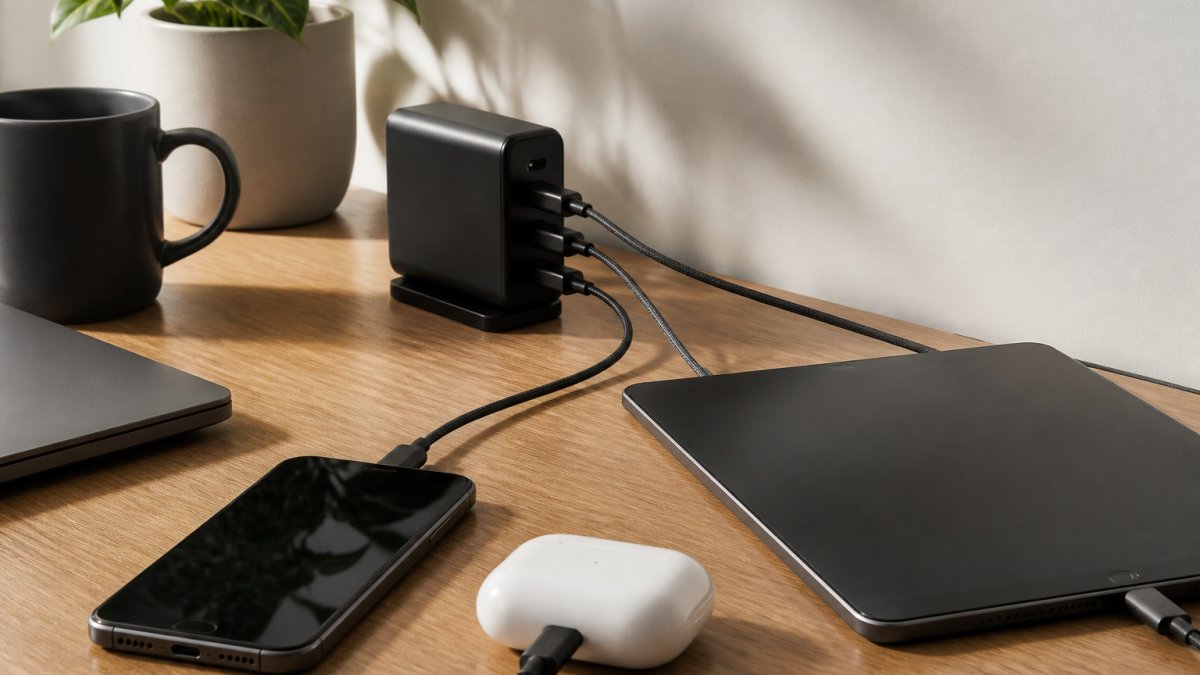
The charger communicates with each device through the charging protocol, typically USB Power Delivery. Your laptop might request 65W, your phone might request 25W, and your earbuds might request 5W.
Understanding Power Distribution and Port Configuration
Port configuration determines how power flows.
The key constraint is total wattage. If your charger is rated for 65W total, you cannot charge three devices at full speed indefinitely. You're distributing that 65W across all active ports.
Device compatibility also shapes real-world performance. A phone that supports only 25W charging won't draw more than 25W, even if the charger offers 65W.
GaN Charger Power Distribution: How Watts Are Shared Across Ports
Most multi-port GaN chargers do not split their rated wattage evenly. Instead, they use a priority scheme defined by the manufacturer and negotiated over USB Power Delivery (USB PD). The practical result is that the same 65W charger can behave very differently depending on which ports are occupied and in what order devices are plugged in.
A common pattern for a 65W two-port charger is: with one device connected, the primary USB-C port delivers the full 65W; with two devices connected, the charger may allocate 45W to the primary port and 20W to the secondary port, or split 30W/30W depending on the model. A 100W three-port charger often reserves the top wattage for a laptop-class port and shares the remainder among phone and accessory ports. These allocations are not universal, so the charger's printed port map or manual is the authoritative source.
What Happens When You Plug In or Unplug a Device
Dynamic power allocation means the charger renegotiates when the port load changes. If a laptop is charging alone at 65W and you then plug in a phone, the charger may drop the laptop to 45W and give the phone 20W.
3-in-1 Folding Wireless Charger →
Two practical consequences follow. First, a device that was fast-charging may slow down when a second device is added, even though nothing appears wrong. Second, some chargers briefly interrupt power on a port during renegotiation, which can cause a laptop to switch to battery for a moment.
A Concrete Way to Read a Port Map
When comparing chargers, translate the marketing wattage into a port-by-port table for your actual device mix. For example:
- 65W total, two USB-C ports: one device gets up to 65W; two devices commonly split around 45W + 20W. A 65W laptop plus a 25W phone will not both run at full speed.
- 100W total, three ports (two USB-C, one USB-A): a laptop can take 65W while a phone takes 30W and an accessory takes 5W, but only if the charger's map supports that combination.
- 140W total, three or four ports: headroom allows a 100W laptop, a 30W phone, and a 5W accessory to run close to their own limits simultaneously.
Why Headroom Changes Heat and Longevity
A charger running near its rated ceiling with several devices attached will run warmer than the same charger with fewer devices, because conversion losses scale with load.
Jackie's Attic's 3-in-1 Folding Wireless Charger is an example of a modest 30W total design aimed at a phone, smartwatch, and earbuds combination, where the combined draw stays well within the charger's rating and port priority rarely becomes a constraint.

GaN Charger Pros and Cons: Is the Investment Worth It?
Pros: GaN chargers are smaller and lighter than silicon chargers of equivalent output, which matters most when you are carrying one charger for several devices. They convert power with less waste heat, so a multi-port unit can run cooler than a silicon brick of the same rating.
Cons: Upfront cost is higher than basic silicon chargers. Not every device benefits, because charging speed is capped by the device's own USB PD profile and cable. Shared wattage means simultaneous charging is slower than charging each device alone.
Safety Protections and Certifications to Verify
When one charger powers several devices, protection circuitry matters more, not less. Look for these protections in the spec sheet or manual:
- Overcurrent and overvoltage protection to prevent a fault on one port from affecting another.
- Short-circuit protection on each output.
- Over-temperature protection that reduces or cuts output if the charger exceeds a safe internal temperature.
- Foreign-object detection on wireless pads, which stops charging if metal debris is present.
In the U.S., a charger sold as an electrical product should carry a recognized safety certification mark, commonly UL or ETL, indicating testing to the applicable UL 62368-1 standard for audio/video and information technology equipment. A charger that plugs into a wall outlet and lacks a recognized mark is a warning sign, especially for a multi-port unit that may run at high load for hours.
Multi-Device Trade-Offs Competitors Rarely Spell Out
- Port prioritization: a charger may reserve full wattage for one designated port, so the "65W" label applies only when that port is used alone.
- Cable requirements: USB PD above 60W generally requires an electronically marked (e-marked) USB-C cable rated for the wattage. A basic cable can cap charging well below the charger's rating.
- Protocol mismatch: a device that uses a proprietary fast-charge protocol may fall back to slower standard charging on a GaN charger that supports USB PD but not that protocol.
- When a single-port charger is better: if you charge one laptop at a time and never share ports, a single-port GaN charger of the same wattage is usually smaller, cheaper, and simpler, with no allocation logic to second-guess.
Real-World Performance: Heat, Efficiency, and Durability
A GaN charger under full multi-device load will be warm but typically not uncomfortable to hold, whereas a silicon charger in the same situation runs noticeably hotter. That difference reflects conversion efficiency: less energy lost as heat means more of the wall draw reaches the devices.
Durability still depends on build quality. Learn how to choose durable tech accessories that last to assess the long-term value of your GaN charger investment.
Choosing the Right Multi-Device GaN Charger for Your Setup
Start by listing the devices you'll charge simultaneously. A laptop, phone, and tablet require a 140W charger minimum to avoid significant speed compromises. A phone and earbuds pair works fine with 30W.
Next, verify USB-C compatibility. Not all devices use USB-C, older phones, some tablets, and certain accessories still rely on proprietary connectors.
Consider your travel and desk setup. Jackie's Attic offers the 3 In 1 LED Fast Wireless Charger Stand Foldable Charging Station, which combines wired GaN charging with wireless charging pads, a hybrid approach that works well for phones, smartwatches, and earbuds on a desk or nightstand.

For space-constrained environments, also explore space-saving multi-device charging stations to understand how compact designs maximize functionality without occupying excessive counter or desk real estate.
Think about future-proofing. USB Power Delivery is becoming the standard across phones, tablets, and laptops.
Frequently Asked Questions
What is GaN charging and how does it differ from standard chargers?
GaN (gallium nitride) technology replaces traditional silicon in power semiconductors, allowing chargers to convert power more efficiently with less heat loss. This means GaN chargers can deliver higher wattage in a smaller form factor. Unlike silicon-based chargers, GaN technology supports faster charging speeds and generates less heat, making them ideal for charging multiple devices simultaneously without thermal issues.
How does a multi-port GaN charger split power between devices?
Multi-port GaN chargers use intelligent power allocation to distribute available wattage across connected ports. If you plug in a laptop and phone, the charger recognizes each device's charging protocol and power needs, then allocates watts accordingly. For example, a 65W charger might send 45W to a laptop and 20W to a phone. The exact distribution depends on device compatibility and USB Power Delivery support, ensuring optimal charging speed for each device.
Are GaN chargers more efficient than traditional silicon chargers?
Yes. GaN chargers convert electrical power more efficiently, reducing energy waste as heat. This higher efficiency means less power loss during the charging process, lower operating temperatures, and reduced energy consumption from your wall outlet. The U.S. Charging Devices Market Report 2026 notes that GaN chargers dominate the high-wattage 65W-140W segment specifically because of their superior thermal performance and efficiency gains compared to silicon alternatives.
Will a GaN charger actually fit on my desk or in a small space?
Absolutely. One of GaN technology's biggest advantages is its compact design. GaN chargers achieve higher power output in significantly smaller packages than traditional chargers. A 65W GaN charger is roughly the size of a standard phone charger, whereas an equivalent silicon charger would be much bulkier. This makes multi-port GaN chargers perfect for apartments, small workspaces, or travel, you get multi-device charging capability without consuming much counter or desk space.
GaN chargers deliver real benefits for multi-device setups, smaller size, cooler operation, and efficient power sharing. The investment makes sense if you're charging multiple devices regularly or if space is limited. Start with a charger matched to your actual device combination, verify USB-C compatibility, and prioritize quality brands with proper thermal protection. When those elements align, a GaN charger becomes the centerpiece of a cleaner, more efficient charging setup that lasts.


