


Table of Contents
- Why Durable Tech Accessories Cost Less Over Time
- Tech Accessory Materials That Actually Hold Up
- A Repeatable Durability Evaluation Checklist
- How to Choose a Charging Station for Daily Use
- Finding the Best Charging Cables Without Overpaying
- Your Device Compatibility Checklist Before You Buy
- Warranty, Repairability, and End-of-Life Options
- Conclusion
- Frequently Asked Questions
Last Updated: October 13, 2026
Why Durable Tech Accessories Cost Less Over Time
Buying cheap accessories twice costs more than buying one that lasts.
At Jackie's Attic, we hear the same objection constantly: "I've bought stuff like this before and it broke in a few months." That frustration is valid, and it usually traces back to one purchase decision made on price alone.
The FTC's guidance on environmental marketing claims matters here too: "durable" and "long-lasting" are marketing terms with no fixed legal definition, so you have to evaluate construction yourself rather than trust the label.
Tech Accessory Materials That Actually Hold Up
Material construction decides most of an accessory's lifespan before you ever plug it in. The exterior is where wear and tear shows first, and it is the easiest thing to judge in a product photo or in your hand.
For cables, look for braided nylon or reinforced thermoplastic jackets over plain PVC. For cases, soft shock-absorbent silicone absorbs impact better than rigid plastic, which cracks at the corners.
Reinforced Stitching and Stress Points
Stress points fail first, every time. On a cable, that means the connector joint, where the wire bends repeatedly. Reinforced stitching and molded strain relief at both ends are the single best durability signal you can check.
On a phone case, the failure points are the corners and the port cutouts. Our Half-Pack Graphite Case uses soft, shock-absorbent silicone with a frosted finish that resists fingerprints and wear, and it is built for Apple iPhones.

A Repeatable Durability Evaluation Checklist
Durability evaluation is a repeatable process, not a gut feeling. Run every accessory through the same five checks before you buy, and you will stop guessing.
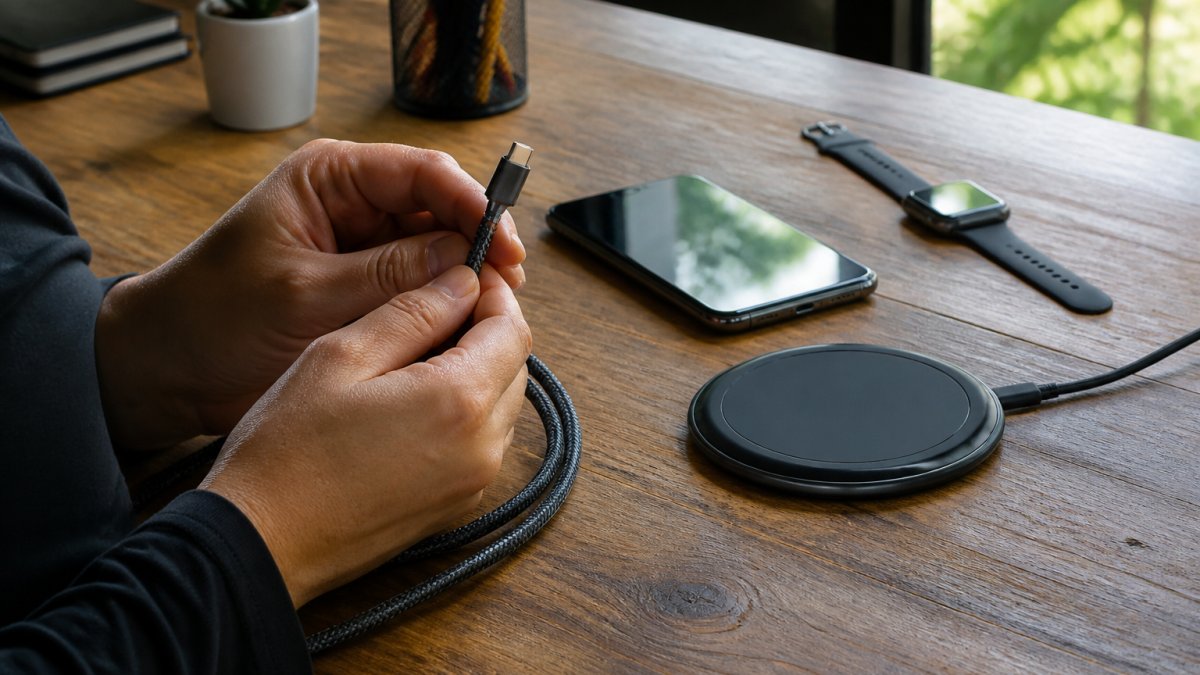
- Flex the joint. Bend the cable where it meets the connector. If the jacket creases sharply, it will split.
- Check the housing. Squeeze the charger body. Flex in the plastic means heat and eventual cracking.
- Read the safety certifications. A Qi-certified charger with temperature control, voltage protection, and short-circuit prevention has passed third-party testing. That is a real standard, not a sticker.
- Inspect the connectors. Magnetic alignment and metal thickness tell you how many plug cycles the part will survive.
- Confirm the warranty. A brand that publishes a warranty period is telling you how long it expects the product to last.
| Check | What to Look For | Failure Signal |
|---|---|---|
| Cable joint | Molded strain relief | Sharp crease when bent |
| Housing | Rigid, ventilated plastic | Flexes under pressure |
| Safety certs | Qi certification | No certification listed |
| Connectors | Thick metal, magnetic alignment | Loose or thin contacts |
| Warranty | Published period | None stated |
How to Choose a Charging Station for Daily Use
Choosing a charging station starts with one question: how many devices do you charge at once, every single day? A station that matches your actual routine outlasts one bought for occasional use.
Multi-device charging is where cheap stations fail. Our 3 In 1 LED Fast Wireless Charger Stand is Qi-certified with temperature control, voltage protection, and short-circuit prevention, and ventilation holes on the back keep it cool through a full day of charging.
Multi-Device Charging and Thermal Performance
Thermal performance is the hidden spec. Heat is what kills batteries and charging circuitry, and a station that runs cool lasts longer than one that runs hot.
Look for ventilation holes, a heat-dissipating housing, and a folding or adjustable design that keeps air moving around the device. Our 3-in-1 Folding Wireless Charger charges a phone, watch, and earbuds at once, supports fast and magnetic charging, and folds flat for storage, which also keeps it out of the way when it is not in use.
Finding the Best Charging Cables Without Overpaying
The best charging cables are not the most expensive ones. They are the ones with reinforced joints, a thick jacket, and a connector that survives thousands of plug cycles. To judge that without guessing, you have to know where cables actually fail.
Where Cables Fail, In Order
- Strain relief at the connector. This is the number-one failure point. The jacket flexes every time you plug in, and a cable without molded strain relief splits within months. Look for a ribbed or tapered boot that transitions gradually from the connector to the wire instead of a hard 90-degree edge.
- The conductor itself. Copper strands break from repeated bending. A cable rated for a higher bend cycle count (some manufacturers publish 10,000 to 30,000 bend cycles) uses more, finer strands and a thicker jacket to spread the stress.
- The connector shell. Thin metal housings deform and lose contact tension. A thicker shell holds its grip through more insertions.
- The jacket material. Braided nylon resists abrasion and kinking better than plain PVC, but only if the braid sits over a reinforced inner jacket. A braid over thin PVC is cosmetic.
What the Specs Actually Tell You
- USB-IF certification. Cables that carry the USB-IF logo have passed the standard's electrical and mechanical testing. Uncertified cables may work but have no verified performance floor.
- Power rating. A cable rated for 60W, 100W, or 240W (USB Power Delivery tiers) tells you the wire gauge and connector quality. A cable that only claims "fast charging" without a wattage is a red flag.
- Data rating. USB 2.0, USB 3.2, and USB4 cables differ in shielding and conductor count. If you only charge, a USB 2.0 cable is fine; if you transfer files, the higher rating matters.
The Overpaying Question
Overpaying usually means paying for a brand name or a length you do not need. Underpaying means a cable with a thin PVC jacket and no strain relief, which is the cable that ends up in the drawer six weeks later.
A multi-device cable is worth considering if you carry several gadgets. Our Upgraded Multi Charging Cable is a 4-in-1 fast charging cable for Apple Watch, iPhone, and Galaxy devices at 4 feet, which replaces three separate cables in one bag.

Cable Care That Extends Lifespan
How you store and use a cable matters as much as how it is built. Coiling a cable tightly around your hand or a charger creates sharp bends at the connector, which is exactly where strain relief is weakest. Loop it loosely at a diameter of at least a few inches, or use a velcro tie. Avoid pulling the cable out by the wire; grip the connector shell.
Your Device Compatibility Checklist Before You Buy
Device compatibility is the step that prevents returns. A charger that does not match your phone, watch, or earbuds is useless no matter how well it is built.
Run this checklist before checkout:
- Phone model. Wireless charging requires a Qi-compatible phone; magnetic charging requires a magnetic-compatible model.
- Watch model. Apple Watch charging is proprietary. Confirm the charger lists your series.
- Earbuds. Check the charging case supports wireless or the connector type you have.
Screen protection is part of compatibility too. Our 3 Pack Tempered Glass Screen Protector for Samsung Galaxy S21 PLUS ULTRA is cut for that specific model, which is exactly the kind of fit check that avoids a wasted purchase.

Warranty, Repairability, and End-of-Life Options
Warranty and repairability are the two specs almost no accessory listing highlights, and they are the ones that protect your money. A published warranty tells you how long the maker expects the product to survive. Repairability tells you whether a worn cable or a scratched screen protector means replacing one part or the whole unit.
How to Read a Warranty Like a Buyer
Not all warranties are equal. When you compare them, look at four things:
- Length. A 12-month warranty signals a different expected lifespan than a limited lifetime warranty. The length is the manufacturer's own estimate of how long the product should last.
- What is covered. "Limited" warranties typically exclude normal wear, cosmetic damage, and misuse. Read the exclusions before you assume a frayed cable is covered.
- Who pays shipping. A warranty that requires you to ship the product back at your own cost can erase the value of a cheap replacement.
Total Cost of Ownership: The Math That Matters
The purchase price is only the first number. To compare two accessories fairly, estimate the cost per year of service:
| Factor | Cheap Accessory | Durable Accessory |
|---|---|---|
| Purchase price | Lower | Higher |
| Expected service life | Months | Years |
| Replacements over 3 years | 2-3 | 0-1 |
| Warranty coverage | None or short | Published, longer |
| Cost per year | Often higher | Often lower |
A $15 accessory replaced three times over three years costs $45. A $30 accessory that lasts the same period costs $30. The durable option wins on math, not just on principle. This is the total cost of ownership argument in one table.
Repairability by Category
Repairability varies widely by accessory type:
- Cables. Generally not repairable. The failure is internal, and a repaired cable is a safety risk. Buy a cable with a published bend-cycle rating and treat it well.
- Cases. Rarely repairable, but replacement parts like camera-lens covers or screen-protector films are often sold separately. Check whether the seller stocks them.
- Chargers and power banks. Sometimes repairable at the cable or adapter level, but the sealed battery or coil assembly usually is not. A charger with a replaceable cable extends the life of the whole unit.
End-of-Life and Recycling
Cables and chargers contain metals and plastics that should go to an electronics recycler rather than the trash. Many retailers and municipal programs accept small electronics for recycling at no cost. A product built to last simply generates less waste over its lifespan, which is the environmental case for durability on top of the financial one.
Conclusion
The hardest part of buying accessories is trusting that they will last, and that trust has to be earned by construction, certification, and a clear return policy. We built Jackie's Attic around exactly that problem, with Qi-certified charging stations that run cool, reinforced multi-device cables, and protective cases made from shock-absorbent silicone. Start with our charging station lineup and add the accessories that match your devices, then keep them running for years instead of months.
Frequently Asked Questions
How can you tell if a tech accessory is durable?
Check the materials, build quality, and stress points first. Look for reinforced stitching at seams, braided cable jackets, and metal connectors rather than molded plastic. Safety certifications like UL or Qi matter for anything that plugs in. A repeatable durability evaluation checklist helps: inspect the material construction, flex the joints, check warranty length, and confirm replacement parts are available. If a listing does not mention these details, ask the seller before buying.
What materials make tech accessories last longer?
Braided nylon or aramid fiber cable jackets resist wear and tear better than standard rubber. For cases, soft shock-absorbent silicone handles drops and scratches while keeping a slim profile. Metal connectors and reinforced strain reliefs at cable ends prevent the most common failure point. For chargers, high-quality durable plastic with ventilation holes handles heat management better. Material strength matters more than price alone, so read the specs instead of guessing from the brand name.
How do you choose a reliable charging cable?
Look for a cable rated for your device's charging speed, with a reinforced connector and a jacket that resists bending. A 4-in-1 multi charging cable can cover an iPhone, Apple Watch, and USB-C devices at once, reducing the number of cables you replace. Check the length suits your daily use, and confirm the cable supports fast charging if your device does. Finally, check the warranty and whether the seller lists safety certifications.
What should you check before buying a charging station?
Start with device compatibility: confirm the station supports your phone, watch, and earbuds, and whether it uses Qi wireless charging or a cable. Check the output wattage matches your devices' fast charging needs. Look for temperature control, voltage protection, and short-circuit prevention features, plus ventilation holes for heat management. A foldable charging station adds portability and convenience, but only if the build quality holds up to daily use.
Are more expensive tech accessories always more durable?
No. Price and durability do not always match. A $15 case made from shock-absorbent silicone can outlast a $60 case with thin plastic. The deciding factors are material construction, reinforced stitching, connector quality, and whether the product carries safety certifications. Compare the specs and warranty, not just the price tag. A cheaper accessory with a solid warranty and replacement-part availability often delivers better value over its product lifespan.
How do you check whether an accessory is compatible with your device?
Use a device compatibility checklist: confirm the device model, the connector type (USB-C, Lightning, or Qi wireless), and the charging protocol your device supports. For cases, check the exact model, since a half-pack case made for one iPhone size will not fit another. For chargers, confirm output wattage and whether magnetic alignment is required. When in doubt, message the seller with your exact model number before ordering.


