


Table of Contents
- Why 2026 Is the Year to Buy Smart Home Gadgets Carefully
- Smart Home Device Compatibility Checklist Before You Buy
- Smart Home Security Standards That Separate Quality From Junk
- How to Protect Smart Home Privacy With Local Control
- Where Smart Home Gadgets Actually Earn Their Price
- Firmware, Maintenance, and the Device Lifecycle Nobody Explains
- Conclusion
- Frequently Asked Questions
Last Updated: September 11, 2026
Why 2026 Is the Year to Buy Smart Home Gadgets Carefully
The smart home market is projected to grow from $180.12 billion in 2026 to $848.47 billion by 2034, according to HIRI's smart home market research. That growth means more devices, more protocols, and more ways to waste money on hardware that won't talk to anything else in your house. This guide covers the tips for choosing quality smart home gadgets that actually last, starting with the compatibility checks most buyers skip.
Smart Home Device Compatibility Checklist Before You Buy
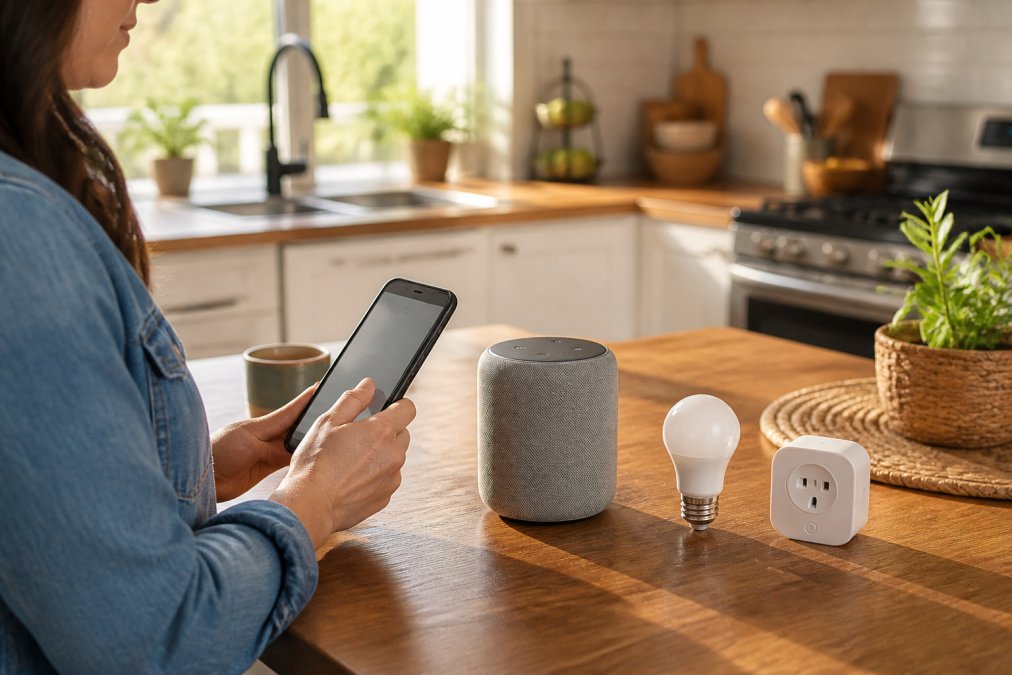
A smart home device compatibility checklist starts with three questions: does it support Matter, does it need a hub or bridge, and will it run on your existing Wi-Fi? Answer those before you look at price. Only about 7% of homeowners have adopted smart home technology so far (HIRI market data), which means most buyers are doing this for the first time with no frame of reference.
Matter, Thread, and Why Protocol Support Decides Everything
Matter is an interoperability standard that lets smart devices from different manufacturers work together through a shared protocol. Thread is the low-power mesh networking layer many Matter devices use instead of Wi-Fi. Together they solve the problem that plagued early smart homes: a light bulb that only worked with one brand's app. Major platform updates in 2026 center on Matter compatibility specifically to simplify device integration (Smart Home Guide 2026 platform review). If a gadget's spec sheet doesn't mention Matter, treat that as a signal it's built for a closed ecosystem.
Wi-Fi Bandwidth, Mesh Networks, and Hub Requirements
Every Wi-Fi smart device competes for bandwidth with your laptop, TV, and phone. Ten devices on a single router is usually fine; thirty is where latency and dropped commands start. A mesh network spreads that load across nodes, and a hub or bridge offloads Thread and Zigbee traffic so it never touches your Wi-Fi. Check before you buy:
- Does the device require a proprietary hub, or work with a standard one?
- Does it support Matter over Thread, Matter over Wi-Fi, or neither?
- How many devices does your router handle before performance drops?
- Does the manufacturer publish a firmware update schedule?
- Is there a local control option if the cloud goes down?
Smart Home Security Standards That Separate Quality From Junk
Quality smart home security standards come down to four checkable things: encryption in transit and at rest, mandatory two-factor authentication, signed and verifiable firmware, and network isolation for the devices themselves. Research into connected devices in residential settings identifies specific risks and potential harms that buyers should weigh before purchase (agency research on connected device risks). Cheap gadgets routinely skip all four, and the spec sheet usually tells you which ones before you pay.
The Four Security Specs to Verify Before You Buy
1. Encryption in transit and at rest. In transit means the device talks to its app or hub over TLS, look for "TLS 1.2 or higher" or "end-to-end encrypted" in the documentation. At rest means data stored on the device or in the vendor's cloud is encrypted, not just the connection. A camera that streams over TLS but stores clips in an unencrypted bucket is only half-covered.
2. Two-factor authentication on the account, not just the app. Experts recommend isolating smart devices on a guest network or VLAN and enforcing two-factor authentication across every smart platform you use (Forbes 2026 smart home security guidance). The purchase-time test is simple: open the vendor's account settings page in a browser before you buy and confirm 2FA is offered. If it isn't listed, assume it doesn't exist. Prefer authenticator-app or hardware-key 2FA over SMS, which is vulnerable to SIM-swap attacks.
3. Signed firmware and secure boot. Signed firmware means the device only installs updates cryptographically signed by the manufacturer, blocking an attacker from pushing a malicious build. Secure boot means the device verifies its own code at startup. Neither is visible on a retail box, but both are usually mentioned in a vendor's security whitepaper or developer docs. If a manufacturer publishes neither, that's a signal about how they think about the device after it ships.
4. Network isolation. Put smart devices on a separate SSID or VLAN from your laptop, phone, and network-attached storage. Most consumer routers sold in the last three years support a guest network in the admin panel; a VLAN requires a router that exposes that setting. The goal: a compromised smart plug can't reach your file server. It takes about 20 minutes and closes the most common lateral-movement attack path.
What Cheap Gadgets Skip, and How to Spot It
A common pattern in low-cost devices is a cloud-only architecture with no local fallback, a shared encryption key across all units of the same model, and no published firmware changelog. Detect the first by unplugging your router and seeing whether the device still responds to its app, if it goes dark, everything depends on the vendor's servers. The second is harder to detect from outside, but a vendor that publishes a security whitepaper will usually state whether keys are per-device. The third is a five-minute check: search the model number plus "firmware release notes" and see whether the vendor maintains a public page.
A 10-Minute Pre-Purchase Security Checklist
- Does the product page or manual mention TLS 1.2+ or end-to-end encryption?
- Is 2FA offered on the account, and does it support an authenticator app?
- Does the vendor publish a security whitepaper or firmware changelog?
- Does the device work on your local network if the internet is down?
- Can it be placed on a guest network or VLAN without losing core features?
- Does the vendor have a documented vulnerability-disclosure contact?
If a device fails three or more of these, it belongs in the decorative-light-strip category, not on your front door.
How to Protect Smart Home Privacy With Local Control
Protecting smart home privacy starts with one architectural question: does the device make decisions on the hardware in your home, or does it ship sensor data to a vendor's cloud and wait for instructions back? Local processing delivers faster routines, better reliability, and fewer privacy compromises than cloud-dependent alternatives (Forbes on local smart home processing). A motion sensor that decides locally whether to trigger a light doesn't need to phone home first, so it works when your internet doesn't. Most buying guides stop there. The useful part is knowing which data actually leaves your house, and how to tell before you buy.
What Actually Leaves Your Home
Every cloud-dependent smart device sends some combination of four data types off-premises: telemetry (device state, uptime, error codes), event logs (motion detected, door opened, temperature reading), media (camera clips, audio from a voice assistant), and usage patterns (when you turn lights on, how often you adjust the thermostat). Telemetry is usually harmless. Event logs and media are where the privacy stakes are, because they describe what happens inside your home and when.
The practical test: read the vendor's privacy policy for two things, whether they sell or share data with third parties, and whether they use customer data to train models. A vendor that says "we do not sell your data" but reserves the right to use it for "service improvement" is still processing your event logs. That's not automatically bad, it's just not local.
Local Control in Practice: Hubs, Bridges, and Matter
Local control doesn't require a fully offline setup. It requires that the decision-making loop stays on your network. Three common configurations deliver that:
- A local hub or bridge (for example, a Thread border router or a Zigbee hub) that runs automations on-device. Routines fire even when the internet is down.
- Matter controllers with local execution, where the platform app talks directly to the device over your LAN instead of routing through a vendor server.
- Devices with a documented local API, which lets advanced users run automations from a home server without any cloud account at all.
The trade-off is real. Local control often means fewer remote-access features (no checking a camera from a hotel Wi-Fi without a VPN), fewer third-party integrations, and a higher upfront cost because the vendor isn't subsidizing hardware with a subscription. For a door lock, a camera, or anything with a microphone, that's worth it. For a decorative light strip or a smart plug on a lamp, the cloud is fine, the data is low-stakes and convenience is the point.
Match the architecture to the stakes. If the device can see, hear, or unlock something, prefer local processing and a vendor that documents it. If it just turns a lamp on, cloud is an acceptable trade.
Questions to Ask Before You Buy
- Does the device work if the internet is down? (Unplug your router and test, or check the manual for a "local control" or "offline mode" claim.)
- Does the vendor publish a privacy policy that states whether data is sold or used for model training?
- Is there a local API, or does every automation route through the vendor's cloud?
- Does the device require an account to function at all, or can it be set up and controlled on your LAN?
- If it has a camera or microphone, is there a physical shutter or hardware mute?
A device that fails the first question is cloud-dependent by design. That's not a dealbreaker for every category, but it should be a conscious choice rather than a surprise after the return window closes.
Where Smart Home Gadgets Actually Earn Their Price
Gadgets earn their price when they replace a recurring annoyance, not when they add a feature you'll use twice. Experts advise assessing specific needs and use cases first rather than buying on features alone (Adaprox smart device buying guide). Quality smart home features can add roughly 3% to 5% to property values, though that depends heavily on which technology you install (HIRI market data).
| Category | What It Solves | Typical Price Range | Worth It If... |
|---|---|---|---|
| Smart thermostat | Wasted heating and cooling | $80-$250 | You're home on a schedule |
| Smart lock | Key juggling, guest access | $100-$300 | You rent or host guests |
| Smart lighting | Forgotten lights, no scenes | $15-$60 per bulb | You want automation, not novelty |
| Smart plug | Phantom energy draw | $10-$30 | You have older appliances |
| Car climate gadgets | Commute comfort | $9-$52 | You drive daily |
A $9.33 insulated digital thermos that keeps coffee hot for a 0-6 hour window solves a real commute problem. A $185.13 pair of AI camera smart glasses that translates and recognizes objects solves a different one. Both earn their price; a $40 smart mug that only works on one desk doesn't.

Firmware, Maintenance, and the Device Lifecycle Nobody Explains
Firmware support is the spec nobody reads and everybody regrets ignoring. A device is only as good as its last security patch, and manufacturers quietly drop support on hardware that still works fine. Proposed design research on smart household appliances found that user expectations around longevity and updates are consistently unmet (International Journal of Design study on smart appliance design).
Before buying, check when the model launched and how often the maker ships firmware. A gadget released three years ago with no updates since is a dead end, no matter the price. Budget for replacement every five to seven years, and factor that into whether the upfront cost makes sense.
Search the model number plus "firmware update" before you buy. If the most recent result is older than 18 months, assume the device is at end of life and price it accordingly.
Conclusion
The hard part of buying smart home gear isn't finding devices. It's finding devices that will still work together in 2030, which means prioritizing Matter support, local control, and a manufacturer who actually ships firmware updates. Jackie's Attic offers a curated selection of innovative lifestyle gadgets and practical home accessories, including foldable 3-in-1 wireless charging solutions that save counter space, a 2-in-1 smart car cup warmer and cooler with real-time temperature display, and the AI camera smart glasses for hands-free recording and translation on the move. Get started with Jackie's Attic and build a setup that stays useful long after the unboxing.
Frequently Asked Questions
What should I look for when buying smart home gadgets?
Start with your actual use case, not the feature list. Experts at Adaprox (2026) advise assessing specific needs first so the technology delivers genuine utility. Then check three things: Matter or Thread support for interoperability, local processing so routines do not lag, and firmware update history. A gadget that only works through one app and one cloud service will frustrate you within a year. Price matters less than whether the device fits the ecosystem you already own.
How do I check if a smart home device is compatible with my current setup?
Run a smart home device compatibility checklist before checkout. Confirm the device supports Matter, since major 2026 platform updates center on Matter compatibility to simplify integration (Smart Home Guide, 2026). Check whether it needs a hub or bridge, whether it runs on 2.4GHz or 5GHz Wi-Fi, and whether your voice assistant is supported. If a listing does not state its protocol or hub requirements, treat that as a warning sign rather than a minor omission.
How do I ensure my smart home gadgets are secure?
Forbes (2026) recommends device isolation through a guest network or VLAN, plus two-factor authentication enforced across every smart platform you use. Beyond that, change default passwords, enable encryption where offered, and check that the manufacturer publishes security patches. Research from 2026 into connected devices in homes found that these products introduce specific risks users should evaluate before purchase, so treat security as a buying criterion, not an afterthought once the box is open.
Are expensive smart home gadgets always better?
No. Price often reflects brand marketing or bundled sensors rather than reliability. A $9 digital thermal bottle and a $185 pair of AI camera smart glasses both solve narrow problems well, while a mid-range smart plug from a company with a five-year firmware record beats a cheap one that stops receiving updates after eight months. Judge devices on protocol support, local control, update history, and whether the feature set matches your routine.
What are the best smart home gadgets to start with?
Begin with categories that change daily behavior: smart lighting, a smart thermostat, and a smart lock. These deliver the clearest returns on energy monitoring and remote access. The smart home market is projected to grow from $180.12 billion in 2026 to $848.47 billion by 2034 (HIRI, 2026), which means more options every year, not fewer. Adding one category at a time also keeps your Wi-Fi bandwidth and hub setup manageable instead of overwhelming it.
How do I protect smart home privacy without losing convenience?
Prioritize devices that process data locally rather than in the cloud. Forbes (2026) identifies going local as the single most effective upgrade for routine speed, reliability, and privacy. After that, review each app's data-sharing permissions, disable features you do not use, and separate smart devices onto their own network. You keep voice-activated control and automation while cutting how much personal data leaves your house.
Why do my smart home gadgets keep losing connection?
Most dropouts trace back to network problems, not broken hardware. Smart devices often require 2.4GHz Wi-Fi, and a router packed with streaming TVs and phones can starve them of bandwidth. Latency also climbs when every routine depends on a cloud round trip. Move devices onto a mesh network or dedicated band, keep the firmware current, and check whether your hub is positioned too far from the devices it controls.
How long should smart home gadgets last before replacement?
Plan on three to five years for most connected devices, though the deciding factor is firmware support, not hardware failure. A company that stops shipping updates effectively ends the device's life, even if it still powers on. Before buying, look at how long the manufacturer has supported previous generations. Gadgets with Matter support and local control tend to stay useful longer because they are not tied to one company's cloud service.


