


Table of Contents
- Smart Gadgets for Efficient Home Routines: Where to Start
- The Best Smart Home Devices That Actually Save Time
- Smart Home Automation Ideas for Your Daily Schedule
- Smart Plugs for Home Automation and Energy Savings
- Robot Vacuum for Daily Cleaning: Set It and Forget It
- Kitchen Gadgets and Automatic Pet Care
- Setup, Compatibility, and Making It All Work Together
- Frequently Asked Questions
Last Updated: October 10, 2026
Smart Gadgets for Efficient Home Routines: Where to Start
Smart gadgets for efficient home routines transform how you move through your day by automating repetitive tasks. At Jackie's Attic, we focus on solutions that actually save time, not gadgets that create more complexity.

Set up your devices once, then let them work automatically.
The challenge is knowing where to start. This guide focuses on gadgets that actually deliver: devices that reduce friction without becoming a headache to manage.
The Best Smart Home Devices That Actually Save Time
Focus on devices that address your actual pain points. The difference between a gadget that gathers dust and one you use daily comes down to solving a genuine need.
Voice Assistants and Hands-Free Control
A voice assistant is the command center for your smart home.
Voice control's real value emerges when one command triggers multiple actions. "Alexa, I'm leaving" turns off lights, sets thermostat to away mode, and locks the door, not just replacing one action with another.
Setup takes minimal effort: connect to WiFi, link compatible devices, and create routines through the app. Most people achieve basic functionality in under an hour.
Smart Lighting and Preset Routines
Smart lights enable routines that adjust automatically based on time of day: bedroom lights brighten before your alarm, living room dims as evening arrives, kitchen lights turn on when you enter and off when you leave.
Preset routines solve the "I have to remember to turn this off" problem, saving small amounts of time that compound into meaningful hours recovered each week.
Color-changing lights align your environment with your body's natural rhythms: warm tones for evening support better sleep, cooler tones for morning promote alertness.
Smart Thermostats and Temperature Automation
A smart thermostat learns your preferences and adjusts automatically, anticipating your needs and optimizing temperature without your involvement.
You arrive home to a comfortable temperature without lifting a finger, and the thermostat learns seasonal patterns to optimize efficiency.
Remote control prevents arriving home to an uncomfortable environment: adjust temperature from your phone if stuck in traffic or arriving earlier than planned.
Smart Home Automation Ideas for Your Daily Schedule
Automation works best when customized to how you actually live, not generic templates or marketing suggestions.
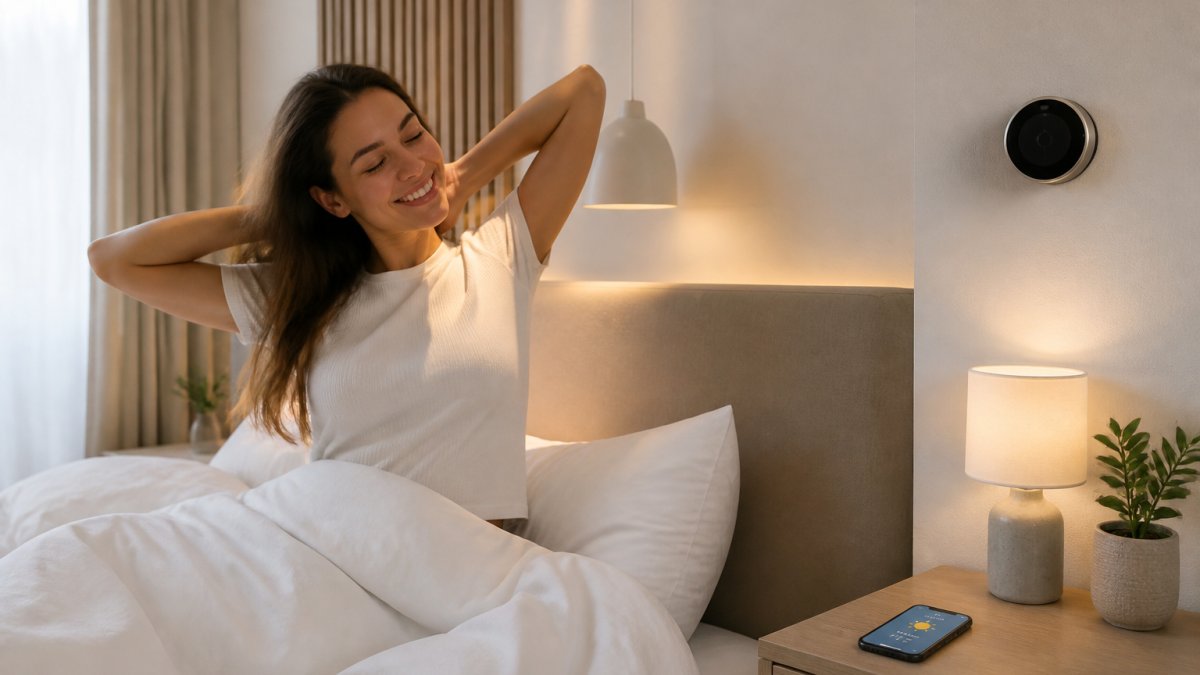
Morning Routines: Start Your Day Hands-Free
Morning automation should reduce friction during your hectic start. A single trigger, your alarm or a time-based schedule, initiates a sequence designed to ease you into wakefulness.
Smart lights gradually brighten before your alarm, thermostat adjusts to your preferred temperature, smart speaker plays your favorite playlist or news, coffee maker starts brewing, and bathroom lights turn on to full brightness.
The cumulative effect removes decision fatigue: your home is optimized for you instead of you fumbling with switches and controls.
Evening Routines: Wind Down with Automation
Evening automation supports the transition to restful: lights dim and shift to warm tones, thermostat lowers, smart speaker plays calming music, and front door locks automatically, removing the "did I lock the door?" anxiety.
This routine signals your body to wind down, triggering natural circadian rhythm responses that prepare you for sleep.
Smart Plugs for Home Automation and Energy Savings
Smart plugs are the simplest entry point into home automation. Plug them into standard outlets, and your devices become controllable and schedulable. Unlike replacing fixtures, smart plugs work with what you already have, no electrician or rewiring needed.
Best Appliances for Smart Plugs
Focus smart plugs on appliances that:
Run on a schedule you forget
- Coffee makers: Brew coffee before you wake or arrive home
- Space heaters: Turn on 30 minutes before you enter a cold room, off when you leave
- Humidifiers and dehumidifiers: Run during specific hours to maintain comfort
- Aquarium pumps and lights: Maintain consistent schedules for fish health
Consume significant power and benefit from remote control
- Washing machines: Start a load remotely so it finishes when you're home
- Dryers: Turn on before you arrive to have clothes ready
- Slow cookers: Start cooking remotely so dinner is ready when you walk in
- Space heaters: Turn off remotely if you forgot to do so before leaving
Create safety or convenience benefits
- Bathroom exhaust fans: Run for 20 minutes after showers to prevent mold
- Garage door openers (with compatible models): Verify the door is closed remotely
- Outdoor lights: Turn on at dusk, off at dawn, or manually for security
- Desk lamps: Automate on/off with your work schedule
Avoid smart plugs on: refrigerators/freezers, microwaves, toasters, air conditioners, and devices with always-on safety features.
Energy Monitoring and Cost Savings
Most smart plugs include energy monitoring, revealing devices consuming far more electricity than expected.
Monitor consumption for one week, identify devices running 24/7 that could be scheduled, and calculate savings.
Standby devices save $10-30/year; seasonal devices save $30-100/year if you eliminate 1-2 hours of unnecessary runtime. The largest savings come from preventing devices from running when you're not home.
Setting Up Smart Plugs for Maximum Benefit
Installation: Plug into outlet, download the app, connect to Wi-Fi, name the device clearly, link to your voice assistant, and test voice control.
Creating schedules: Set schedules in the app or through your voice assistant.
Combining with voice control: "Alexa, turn on the slow cooker" starts cooking remotely. Create routines like "Movie time" (TV on, lights dim) or "Leaving home" (non-essential plugs off).
Choosing the Right Smart Plug
Key features: Verify compatibility with your voice assistant and look for Matter certification. Prioritize energy monitoring, compact design, flexible scheduling, and reliable connectivity.
Common limitations: Plugs add outlet depth and may block adjacent outlets. Some have wattage limits (typically 15 amps/1,800 watts). Wi-Fi connectivity depends on signal strength.
Real-World Smart Plug Scenarios
Scenario 1: Plug your coffee maker into a smart plug and use geofencing or manual scheduling for fresh coffee without thinking about it.
3 In 1 LED Fast Wireless Charger Stand Foldable Charging Station →
Scenario 4: Plug your TV, sound system, and gaming console into a smart plug to prevent phantom load ($10-20/year per device) and reduce energy waste.
Smart plugs' simplicity is their strength.
Robot Vacuum for Daily Cleaning: Set It and Forget It
A robot vacuum eliminates manual vacuuming friction. Set a schedule and the device handles the work automatically, working best for open floor plans but navigating complex layouts reasonably well.
The real value is consistency: your floors get cleaned on a regular schedule, preventing dust buildup and keeping your home cleaner with less effort.
Setup involves defining the cleaning zone through an app and removing obstacles. Run daily or every other day, empty the dust bin weekly.
Kitchen Gadgets and Automatic Pet Care
Kitchen automation reduces prep time and enables hands-free operation. A smart kettle heats water on schedule, and an automatic pet feeder dispenses meals at set times.

The Automatic Pet Feeder Dog Basin Cat Bowl Supplies Water Dispenser from Jackie's Attic handles both food and water, keeping your pets on a consistent schedule, especially useful for irregular schedules or multiple pets.
Smart kitchen gadgets work best when they solve a genuine bottleneck. If you forget to feed your pet or refill water, automation solves a real problem.
Setup, Compatibility, and Making It All Work Together
The biggest challenge in smart home automation is integration: your voice assistant must communicate with lights, thermostat, and smart plugs, with routines triggering reliably across device types.
Understanding Compatibility Standards
Before buying any device, verify it supports one of these open standards or ecosystems:
Matter allows devices from different manufacturers to communicate directly without relying on a single company's cloud service. Wi-Fi direct devices connect independently but may require separate apps. Proprietary ecosystems (Alexa, Google Home, Apple Home) lock you into one company; Alexa has broadest support, Google Home integrates with Nest, Apple Home prioritizes privacy.
Check compatibility before purchase by visiting the manufacturer's website. A smart light that doesn't work with your voice assistant is a wasted purchase.
Step-by-Step Setup Process
Week 1: Choose your primary voice assistant, set up the hub in a central location, ensure stable Wi-Fi coverage, and download the companion app.
Week 3: Add a second device category, repeat linking, create a routine combining both categories, and test for reliability.
Week 4+: Monitor which automations you actually use, disable unused routines, and troubleshoot connectivity issues by moving your router closer or adding mesh Wi-Fi.
Real Automation Recipes by Time of Day
Leaving home (geofence): Lights off, thermostat to away mode, door locks, cameras record, entertainment plugs off.
Arriving home (geofence): Entryway lights 50%, thermostat to home temperature, music plays low.
Evening (sunset or 7 p.m.): Living room dims to 30% warm, bedroom warm, thermostat lowers 1-2°, calming music plays, door locks, cameras to night mode.
Troubleshooting Common Issues
Device goes offline: Move router closer, check distance (max 50 feet through walls), restart device, update firmware.
Routine doesn't trigger: Verify device is online, check device name matches exactly, delete and recreate routine, ensure hub has internet.
Voice commands work but routines don't: Routines may require devices in a specific state first. Check conditions and triggers, test each device individually.
Device won't connect: Verify device supports your voice assistant, connect to Wi-Fi first, forget and re-add device, restart hub.
Avoiding Common Mistakes
Mixing incompatible ecosystems: Stick to one ecosystem or use only Matter-certified devices.
Over-automating: Automate only routines you perform consistently; a "movie night" routine used twice yearly isn't worth setup time.
Ignoring Wi-Fi quality: Invest in mesh Wi-Fi if your home is large or has thick walls.
Not planning for power outages: Keep manual overrides (light switches, thermostat dials) functional and accessible.
Start small and expand gradually.
Frequently Asked Questions
What smart gadgets are most useful for everyday routines?
Voice assistants, smart thermostats, robot vacuums, and smart lighting deliver the biggest time savings for most households. Voice control eliminates the need to physically adjust lights or temperature. Robot vacuums handle floor cleaning on a schedule, and smart thermostats learn your preferences and adjust automatically. Smart plugs let you automate any device by turning it on or off remotely or on a timer, making them versatile additions to any routine.
How do I choose smart home devices that work together?
Check that devices use the same ecosystem or platform (Amazon Alexa, Google Home, or Apple HomeKit). Most smart gadgets are compatible with at least one major platform, which allows them to communicate and automate together. Before purchasing, verify the device supports your chosen ecosystem. Starting with one platform prevents compatibility headaches and makes automation recipes much simpler to set up.
Are smart home gadgets difficult to set up?
Most smart gadgets require only a few minutes to set up. Typically, you download an app, connect the device to your Wi-Fi, and assign it to a room. Smart plugs are the easiest, just plug them in and pair them with your app. Voice assistants and smart thermostats take slightly longer because they may require calibration, but detailed instructions come with every device. Common setup issues include Wi-Fi connectivity and app pairing, which are easily resolved by restarting the device or router.
How can smart gadgets make household routines more efficient?
Smart gadgets eliminate repetitive manual tasks by automating them on a schedule or with voice commands. A robot vacuum cleans floors daily without your involvement. Smart lighting adjusts brightness and color based on time of day, creating the right environment automatically. Smart thermostats maintain your preferred temperature without adjustment. Smart plugs schedule devices to turn on or off at set times. Together, these devices reduce decision fatigue and free up time for activities that matter more.
What affordable gadgets can make everyday life easier?
Smart plugs are the most affordable entry point, starting around $10-20, and work with any device. Wireless charging stations consolidate multiple chargers into one compact unit, reducing clutter and saving desk space. Automatic pet feeders ensure pets eat on schedule without your reminder. A portable desktop air purifier improves air quality in your workspace. These gadgets solve real problems without requiring a major investment or complex setup, making them ideal for testing whether smart home automation fits your lifestyle.
Which smart home devices are worth buying?
Robot vacuums deliver the most noticeable time savings if you have hard floors or low-pile carpet. Smart lighting and voice assistants improve convenience daily. Smart plugs offer the best value for price, starting at just $15.06 for a multi-device charger like Jackie's Attic's 3-in-1 LED Fast Wireless Charger Stand. Prioritize devices that solve your specific pain points rather than buying everything at once.


