


Table of Contents
- What Actually Makes a Gadget a Useless Gimmick
- The Lifecycle of a Hype-Driven Product
- Why Consumers Regret Tech Purchases (and What It Costs)
- How to Evaluate Smart Home Devices Before You Buy
- The Gimmick-to-Standard Evolution: When Today's Novelty Becomes Tomorrow's Default
- Best Gift Ideas for Gadget Enthusiasts (Without the Regret)
- Software Support and E-Waste: The Costs Nobody Advertises
- Conclusion: How to Tell a Gimmick From a Genuinely Useful Gadget
- Frequently Asked Questions
Last Updated: September 14, 2026
What Actually Makes a Gadget a Useless Gimmick
A useless gimmick is a product whose advertised benefit disappears once the novelty wears off, leaving you with something your phone, your hands, or a $10 basic version already did better, and the market is now full of useless gimmicks. That definition matters because the market is now flooded with items that look innovative in a product photo and fail in daily use. A 2026 Yahoo Tech report identified ten categories of consumer electronics no longer worth the investment, singling out Wi-Fi-enabled toothbrushes as overpriced and noting that many baby bottle warmers deliver too little utility to justify their counter space (Yahoo Tech's 2026 analysis of obsolete tech).
At Jackie's Attic, we sell gadgets for a living, so we have an obvious bias, but a customer who regrets a purchase never comes back. Below, we'll show you how to sort genuine utility from marketing noise before you spend anything.
The Four Questions That Separate Utility From Hype
Run every gadget through these four filters before you buy:
- Does it replace something you already do manually? If not, it adds a step rather than removing one.
- Does it work without an app or subscription? Devices that require both tend to get abandoned once the free trial ends.
- Will it still function in three years? Check whether the manufacturer commits to software support.
- Does the price reflect the function, not the finish? LEDs and compact housings cost pennies; they rarely improve how well a product works.
A gadget that fails two or more of these questions is almost always a useless gimmick dressed up with feature creep.
The Lifecycle of a Hype-Driven Product
Every hype cycle follows the same five stages, and recognizing where a product sits tells you whether to buy now or wait: a demo solving a problem nobody articulated, a review wave where early adopters mistake novelty for usefulness, a price premium justified by design rather than capability, a plateau when the marketing-versus-utility gap becomes obvious, and finally collapse or absorption into something cheaper.
Google Glass is the textbook example. It was widely covered as a tech flop that never reached mainstream adoption because of design and social limitations (analysis of Google Glass's market failure). The Sinclair C5 followed the same arc for different reasons: poor design choices and limited practical utility killed a product that was supposed to transform personal transport (discussion of the Sinclair C5's failure).
Why Consumers Regret Tech Purchases (and What It Costs)
Post-purchase regret usually traces back to one gap: the product performed exactly as advertised, but the advertisement described a problem you did not have.
A 2026 review of high-regret products found that many rely on LEDs, compact form factors, and app connectivity to drive sales without any functional improvement over what came before (review of high-regret tech products). The cost is not just the sticker price. It is the shelf space, the charging cables, the abandoned app account, and the mental load of owning something you feel vaguely guilty about not using.
The pattern repeats because marketing sells the idea of the product, while utility is only revealed through use, and useless gimmicks sell the idea hardest. That gap is where regret lives.
How to Evaluate Smart Home Devices Before You Buy
The fastest way to evaluate a smart home device is to test the boring parts first: connectivity, power, and whether it works when the internet does not. If it fails any of those, its clever features will not save it.
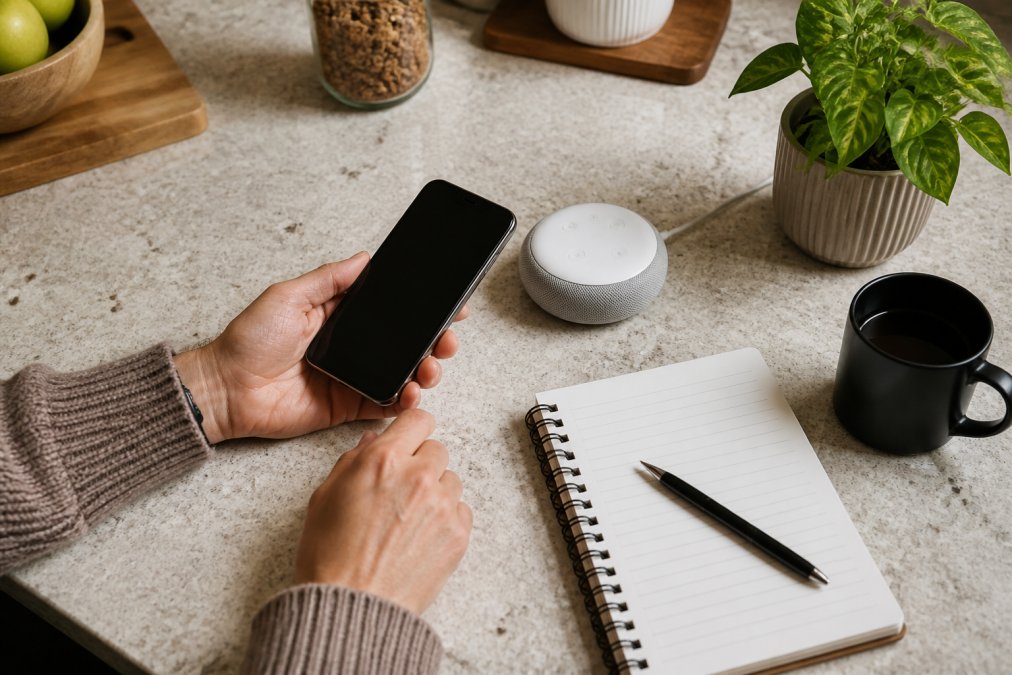
Most buying guides hand you a vague checklist and stop there, which is why so many people end up with a drawer full of abandoned hubs. What follows is an objective scoring framework you can run in five minutes.
The Gimmick Score: A 20-Point Framework
Score each device from 0 to 4 on these five criteria. A total of 14 or higher is a strong buy. Between 9 and 13 is a wait-and-watch. Below 9 is a gimmick.
| Criterion | 0 points | 2 points | 4 points |
|---|---|---|---|
| Core function without the app | Useless offline | Partially works | Fully works offline |
| Protocol openness | Proprietary only | One standard plus proprietary | Open standard (Matter, Thread, Zigbee, Z-Wave) |
| Subscription dependency | Every useful feature paywalled | Some features paywalled | No subscription needed |
| Support horizon | No published commitment | 1-2 years stated | 3+ years stated |
| Replacement cost | Cheaper to rebuy than repair | Repair possible but costly | Standard parts, repairable |
Run a $60 video doorbell through this. If it requires a $5 monthly plan to record anything, it scores 0 on subscription dependency; if it only works over a proprietary bridge, it scores 0 on protocol openness. That doorbell is a $180 device in year one and a paperweight the moment the manufacturer shuts down its cloud.
Connectivity, Subscriptions, and the Hidden Price Tag
Analysis of the 2026 smart home market found that many devices are not worth the money specifically because of mandatory subscriptions, required apps, and underused features that add complexity without efficiency gains (2026 smart home value analysis). A $60 doorbell that costs $5 a month to record video is a $180 doorbell in year one. That is the price-to-performance ratio nobody prints on the box.
The hidden cost compounds in three places most shoppers never check:
- The subscription stack. Three devices at $5 a month each is $180 a year, more than the hardware cost in many cases.
- The hub tax. A device that needs a proprietary bridge to talk to anything else forces you into one brand's ecosystem.
- The replacement cycle. When the app stops updating, the hardware does not stop working, it just stops being reachable.
Long-term smart home owners commonly standardize on one open protocol early and refuse anything that will not join it, a single rule that eliminates most regret purchases before they happen.
The Gimmick-to-Standard Evolution: When Today's Novelty Becomes Tomorrow's Default
Some products dismissed as gimmicks become the default, and understanding why separates a bad purchase from an early one. The clearest test is whether the core function eventually gets absorbed into something you already own. Touchscreens, wireless charging, and voice control all started as premium novelty and survived because each removed a step from an existing routine rather than adding one; devices that only add a step tend to disappear.
But the survival mechanism is more specific than "it was a good idea." Three conditions have to line up:
- The function solves a recurring friction, not a one-time novelty. Wireless charging survived because plugging in a cable is a daily annoyance, not because the demo looked futuristic.
- The cost curve falls fast enough that the feature can be absorbed into a cheaper device. A feature that stays expensive stays niche.
- The software stays alive long enough for the hardware to become normal, the condition most buying guides ignore, and the one that kills the most would-be standards.
That third condition is where the gimmick graveyard fills up. A device can have a genuinely useful core function and still become useless because the manufacturer stops updating its app, shuts down its cloud, or drops support for the protocol it depends on. The hardware is fine; the connection is gone. This is software obsolescence, the hidden half of the gimmick problem.
Software Obsolescence: Why 'Gimmicks' Die Faster Than Hardware
A connected gadget has two lifespans: hardware and software. The software one is almost always shorter, and it determines when the product becomes electronic waste. Niche connected devices commonly get a three-to-five-year support window, after which the manufacturer stops pushing updates. When that happens, three things can break at once:
- The app stops working on newer phone operating systems, so you cannot control the device.
- The cloud service shuts down, so any feature that relied on a remote server stops responding.
- The protocol falls out of favor, so the device can no longer talk to the rest of your setup.
None of these show up on a specification sheet, and all of them turn a working device into a paperweight. That is why the "does it still function in three years" question matters more than any spec: planned obsolescence rarely shows up in the hardware, but in the server that stops responding.
The Sustainability Angle Competitors Skip
The environmental cost of disposable gadgets is the part of this conversation most articles avoid. Every device that dies from software obsolescence rather than hardware failure represents manufacturing energy, rare-earth materials, and shipping emissions spent on something that still works but cannot connect. The greenest gadget is the one you keep using, and the cheapest is the one you do not replace twice, which is why the scoring framework above weights support horizon and protocol openness so heavily. Most buying guides ask whether a product is useful today; the better question is whether it will be useful when the novelty is gone, the price premium has evaporated, and the manufacturer has moved on.
Best Gift Ideas for Gadget Enthusiasts (Without the Regret)
The best gadget gifts share one trait: they solve a specific, recurring annoyance the recipient already complains about. Generic novelty buys a polite thank-you. A targeted tool buys a habit.
For someone who drives a long commute, a 2-in-1 smart car cup warmer and cooler addresses a real daily friction point, keeping coffee hot or a drink cold for the full trip rather than the first twenty minutes. For the person squeezing a home office into a corner, a 3-in-1 foldable wireless charging station consolidates three cables into one footprint that folds flat for travel. And for the friend whose apartment has more plants than surfaces, a magnetic levitating starry sky ornament earns its space because it functions as decor first and a conversation piece second.
Here is how to match the gift to the person:
| Recipient | Their Recurring Annoyance | Gadget That Solves It |
|---|---|---|
| Long commuter | Cold coffee by mile ten | 2-in-1 smart car cup warmer/cooler |
| Small-apartment dweller | Three chargers, one outlet | 3-in-1 foldable wireless charging station |
| Design-conscious host | Bare shelves, no focal point | Magnetic levitating starry sky ornament |
| Efficiency-focused cook | Awkward sink reach | 1080° rotatable faucet extender |
| Wellness-focused adult | Tension after desk work | Adjustable infrared light therapy belt |
If you are shopping for someone whose routine you do not know well, the safest picks are the ones that replace an existing object rather than adding a new category to their home.

Software Support and E-Waste: The Costs Nobody Advertises
Conclusion: How to Tell a Gimmick From a Genuinely Useful Gadget
The line between a useless gimmick and a genuinely useful tool comes down to whether the product removes friction from a routine you already have. Everything else is packaging.
That is the standard we try to hold at Jackie's Attic. Our catalog leans toward items that replace something you were already doing the hard way: a 2-in-1 smart car cup warmer and cooler for the commute, a 3-in-1 foldable wireless charging station that collapses into a drawer, and a 1080° rotatable faucet extender that solves an awkward reach without a renovation. If a product cannot clear the four questions at the top of this article, it does not belong on your counter.
Get started with Jackie's Attic and build a setup where every gadget earns its space.
Frequently Asked Questions
What defines a gimmick in the consumer electronics market?
A gimmick is a feature that looks impressive in a product listing but does not change how you use the device day to day. Yahoo Tech's 2026 roundup called Wi-Fi-enabled toothbrushes overpriced and noted many baby bottle warmers fail to deliver enough utility. The test is simple: if the feature disappears and your routine works exactly the same, it was marketing, not function.
How can you tell if a smart home device is actually useful?
Check three things before buying: whether it replaces a task you already do, whether it works without a paid subscription, and whether the company has a track record of software updates. CES 2026 coverage noted manufacturers seem to have run out of problems to solve, which is why so many devices add complexity without real gains. If a device fails any of those three checks, treat it as a novelty.
How do you avoid buying useless tech gadgets?
Wait a week before buying anything marketed as AI-powered. Industry commentary in 2026 flagged 'AI washing' as a growing problem, where AI branding is added to products with no functional improvement over earlier versions. Also read the one-star reviews first, since they surface connectivity issues, app requirements, and subscription fees that product pages bury. A short cooling-off period filters out most impulse purchases.
Are expensive tech gadgets worth the investment?
Only when the price reflects hardware you will use for years, not features you will ignore after a month. A 2026 analysis of high-regret products found many rely on LEDs and app connectivity without improving the core function. Compare the price-to-performance ratio against a basic version of the same item: if the basic version solves the same problem, the upgrade is paying for novelty.


