


Table of Contents
- Start With a Tech Inventory, Not a Shopping List
- Best Gadgets for Small Apartment Living That Replace Clutter
- How to Organize Tech Accessories Without a Junk Drawer
- Digital Decluttering Strategies for Phones, Cloud Storage, and Smart Home Apps
- Privacy-Focused Tech Decluttering: What to Wipe Before You Toss
- The Smart Cost-Benefit Test: When a Gadget Earns Its Counter Space
- Sustainable Disposal and Device Lifecycle: Where Old Electronics Go
- How to Declutter With Smart Gadgets in One Weekend
- Frequently Asked Questions
Last Updated: September 24, 2026
Start With a Tech Inventory, Not a Shopping List
Most people try to declutter with smart gadgets by buying more gadgets. That is the mistake. The first step is a tech inventory, which is a written list of every device you own, where it lives, and when you last used it.
- Note each device, its location, and its last use
- Flag anything untouched in 12 months
- Count duplicate chargers, cables, and earbuds
- List apps and cloud accounts tied to each device
Best Gadgets for Small Apartment Living That Replace Clutter
The best gadgets for small apartment living do one job and replace several items at once. A single charging station can retire three separate chargers and a tangle of cords.
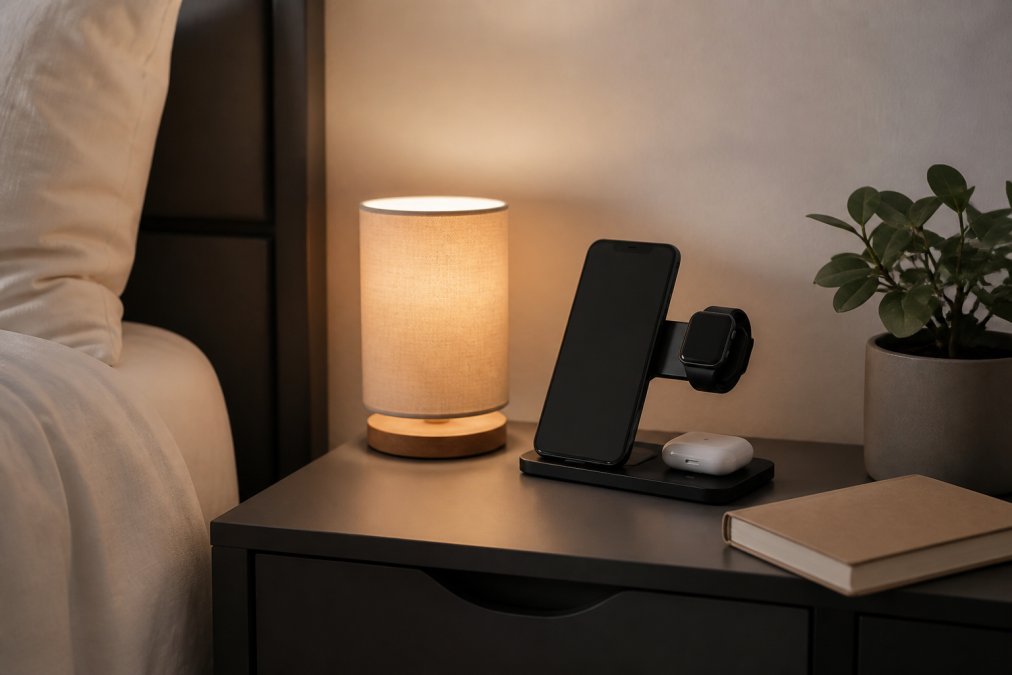
Charging Stations That Clear the Counter
A charging station is a single unit that powers multiple devices from one spot. The right one clears an entire drawer of tangled adapters.
| Option | Price | Devices | Best For |
|---|---|---|---|
| 3-in-1 Folding Wireless Charger | $26.16 | Phone, watch, earbuds | Travel and nightstands |
| 3 In 1 LED Fast Wireless Charger Stand | $15.06 | Phone, watch, earbuds | Desks and counters |
Smart Plugs, Robot Vacuums, and Device Consolidation
Smart plugs and robot vacuums cut clutter by removing the need for extra hardware. A smart plug turns one outlet into a scheduled switch, so you stop buying separate timers.
How to Organize Tech Accessories Without a Junk Drawer
Organizing tech accessories works when every cable has a labeled home. The junk drawer fails because nothing in it has a place.
Cable Management Tools That Fit Real Furniture
Most cable management advice ignores real furniture. Cables run behind desks, under nightstands, and along baseboards, not in perfect channels.
- Use adhesive cable ties for the back of a desk
- Run a cable sleeve along a baseboard to hide runs
- Mount a small basket under a nightstand for the power brick
- Keep one labeled pouch for travel cables only
Labeling and Storage Solutions for Cables and Peripherals
A label maker turns a drawer of mystery cables into a system. Label both ends of every cable with the device it serves.
- Label by device, not by cable type
- Store like cables together in clear pouches
- Keep one spare of each common cable, no more
- Store peripherals with their original box only if you will resell
Digital Decluttering Strategies for Phones, Cloud Storage, and Smart Home Apps
Digital decluttering strategies target the files and apps you never see. Physical clutter is visible. Digital clutter hides in cloud storage, home screen folders, and the smart home apps you installed once and forgot.
Build a Digital Inventory First
Before you delete anything, list what you are actually managing. A digital inventory takes about 20 minutes and covers four buckets:
- Cloud accounts (iCloud, Google Drive, Dropbox, OneDrive)
- Smart home apps (one per ecosystem plus one per device brand)
- Subscription services tied to devices (camera storage, music, cloud backup)
- Device backups (phone, tablet, laptop, smart display)
Automate the Cleanup With Smart Home Triggers
This is the step most competitors skip. Smart home platforms can trigger digital cleanup tasks the same way they trigger lights.
- Scheduled routines: Set a monthly recurring automation in your smart home app that sends a notification to your phone on the first of the month to run a photo and file sweep. The trigger is the automation; the action is the reminder.
- IFTTT-style applets: Connect your cloud storage to a cleanup service so new screenshots and duplicate photos are flagged automatically. Many photo managers offer a duplicate-detection applet that runs weekly without input.
- Voice assistant reminders: A weekly voice reminder tied to a specific room ("when I am at my desk") pairs the physical decluttering habit with the digital one.
- Smart display dashboards: Pin your storage usage widget to a smart display in a high-traffic room. Seeing the number climb is a stronger trigger than a buried settings menu.
The Monthly Digital Reset
Run this on the same day each month, ideally triggered by the automation above:
- Delete duplicate photos, screenshots, and downloaded files
- Uninstall apps you have not opened in 90 days
- Cancel subscriptions tied to devices you no longer own
- Audit smart home apps and remove devices you have recycled or donated
- Confirm cloud sync is on for the files you are keeping
Cloud Storage vs. Physical Drives
Your digital footprint grows quietly. Every old app account is another place your data lives, and every unused smart home app is another login you have to manage.
Privacy-Focused Tech Decluttering: What to Wipe Before You Toss
Privacy-focused tech decluttering means wiping data before a device leaves your hands. Skipping this step is the biggest risk in the whole process.
- Sign out of every account on the device
- Remove the device from your smart home ecosystem
- Factory reset the device and confirm it completed
- Delete the device from cloud backup services
- Change passwords on accounts the device could access
The Smart Cost-Benefit Test: When a Gadget Earns Its Counter Space
A gadget earns its counter space when it replaces at least two items or saves weekly time. If it does neither, it is clutter with a battery.
The Five-Point Framework
Score one point for each yes:
- Replacement: Does it replace two or more items you already own?
- Frequency: Will you use it at least once a week?
- Footprint: Can it store out of sight when not in use?
- Overhead: Does it avoid adding a new app, account, or subscription?
- Longevity: Will it still be useful in three years without a paid plan?
Four or more points means keep it. Three means keep it only if it solves a problem nothing else does. Two or fewer means skip it or remove it.
Single-Use vs. Multi-Purpose Gadgets
Single-use gadgets are the fastest route to clutter. A banana slicer, a dedicated egg cooker, a single-device charger, each one occupies space for one job. Multi-purpose gadgets consolidate. A 3-in-1 charging station replaces three chargers. A projector replaces a TV, a streaming stick, and a soundbar in a small room.
The Hidden Cost of 'Smart'
A smart plug costs little and replaces a mechanical timer. A smart display costs more and often becomes a photo frame. The difference is not price, it is whether the connected features earn their keep.
Ask three questions before adding any connected device:
- Does it work fully without the app, or does the app become the only way to use it?
- Does it require a hub, a subscription, or a specific ecosystem to function?
- If the manufacturer discontinues support, does the device still do its core job?
The One-In, One-Out Rule
The "smart" cost-benefit analysis matters most for connected devices, because the device is only half the clutter. The app, the account, and the charger are the other half.
Sustainable Disposal and Device Lifecycle: Where Old Electronics Go
Sustainable disposal keeps old electronics out of landfills and recovers valuable materials. Electronic waste is the fastest-growing waste stream in many households.
- Donate working devices to local charities
- Use retailer and manufacturer take-back programs
- Find municipal e-waste drop-off days
- Never put batteries or electronics in curbside trash
- Erase data before donating or recycling
How to Declutter With Smart Gadgets in One Weekend
You can learn how to declutter with smart gadgets in a single weekend if you follow a set order. The order matters more than the speed.
Day 1: Clear and sort
- Build your tech inventory room by room (60 minutes)
- Sort into keep, repair, donate, and recycle (90 minutes)
- Wipe and reset every device you are removing (60 minutes)
Day 2: Organize and replace
- Set up your charging station and cable management (60 minutes)
- Label and store remaining accessories (45 minutes)
- Clear digital files, apps, and accounts (60 minutes)
- Drop off donations and e-waste (30 minutes)
Frequently Asked Questions
How can I declutter my electronic devices without spending a lot?
Start with what you already own. Pull every device out of drawers and closets, group them by type, and test each one. Anything that no longer powers on, no longer fits your routine, or duplicates something else can go. Then buy one item that replaces several, like a 3-in-1 folding wireless charger at $26.16 that handles your phone, watch, and earbuds on a single pad instead of three separate cables. That one swap clears a surprising amount of surface clutter for less than the cost of a few replacement chargers.
What is the 12-12-12 rule for decluttering, and does it work for tech?
The 12-12-12 rule asks you to find 12 items to throw away, 12 to donate, and 12 to return to their proper place. It works well for tech because gadgets pile up in three predictable ways: dead cables and obsolete accessories (toss), working devices you never use (donate), and items that belong in a drawer or bin but ended up on a counter (put back). Give yourself one hour and work one room at a time. The rule's real value is that it forces a decision on every item instead of reshuffling the pile.
How do smart home devices help reduce physical clutter?
Smart home devices reduce clutter by consolidating functions. A single smart plug can replace three separate timers. A robot vacuum removes the need to store a broom, dustpan, and mop in a closet. A 3-in-1 LED fast wireless charger stand at $15.06 replaces a tangle of charging bricks and cables with one Qi-certified unit that includes temperature control and short-circuit protection. The pattern is the same across categories: one device that does the work of several means fewer objects competing for the same shelf, outlet, or counter space.
Can smart storage solutions improve small space organization?
Yes, but only if you match the storage to the actual problem. A 450ml smart digital thermal bottle at $9.33 replaces a cabinet full of mismatched cups and travel mugs, and its temperature display means you stop guessing whether your coffee is still hot. A portable small projector at $176.59 replaces a television and its stand in a studio apartment, storing flat between uses. The rule for small spaces: buy storage that serves a second function, and measure the spot before you order anything.
Decluttering with smart gadgets fails when you buy first and sort later. The real work is deciding what stays, then letting one good device replace three bad ones. Jackie's Attic stocks practical tools for that job, including the 3-in-1 Folding Wireless Charger at $26.16, the LED Fast Wireless Charger Stand at $15.06, and the Portable Small Projector at $176.59. Start with your inventory, pick the gadgets that earn their space, and get started with Jackie's Attic to clear the clutter for good.


