


Table of Contents
- The Truth About Modern Lifestyle Gadgets and Durability
- Planned Obsolescence in Consumer Electronics: Real or Excuse?
- What Makes a Gadget Durable? Build Quality, Batteries, and Heat
- Repairability vs Replacement of Lifestyle Gadgets: The Cost Breakdown
- How to Maintain Electronic Gadgets So They Last Years Longer
- Durability in Practice: What to Look For Before You Buy
- The Bottom Line on Modern Lifestyle Gadgets
- Frequently Asked Questions
Last Updated: September 7, 2026
The Truth About Modern Lifestyle Gadgets and Durability
Recent data shows that 49% of individuals using connected devices have experienced at least one technical failure, according to Market.us smarter devices statistics. That number raises a fair question: how durable are modern lifestyle gadgets really? The short answer is that they're more capable than ever, but their lifespan is often cut short by design choices, battery chemistry, and software policies rather than physical defects.
The concern is valid. People want to know if the foldable charger they buy today will still work next year, or if the smart home device will survive its first firmware update. The concern is valid. People want to know if the foldable charger they buy today will still work next year, or if the smart home device will survive its first firmware update. Understanding what actually breaks, and why, is the first step toward buying smarter and keeping devices alive longer. Below, we'll break down the real drivers of gadget failure and what you can do about them.

Planned Obsolescence in Consumer Electronics: Real or Excuse?
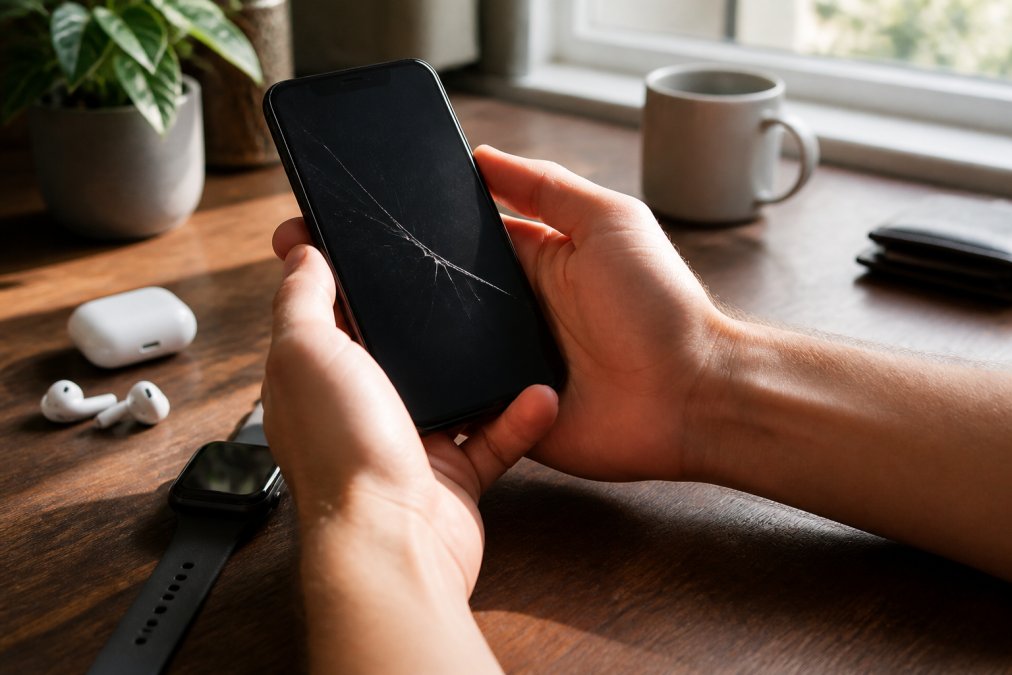
Planned obsolescence is the idea that gadgets are designed with components intended to fail or slow down within a few years to encourage replacement. While manufacturers rarely admit this openly, the pattern is visible: many modern gadgets are built with sealed batteries and soldered components that make repair nearly impossible, pushing users toward upgrades rather than fixes.
The reality is more nuanced. Some components genuinely wear out, lithium-ion batteries lose capacity through normal charge cycles, and that degradation is physics, not a plot. However, the lack of repairability is a deliberate choice. When a battery is glued in place and the screen is fused to the frame, the cost of repair often exceeds the value of the device, driving replacement cycles just as effectively as any planned failure.
Firmware-Locked Obsolescence: The Hidden Lifespan Killer
Physical wear is only half the story. Firmware updates can quietly shorten a device's useful life through performance throttling or dropped support. When a manufacturer stops issuing security patches, the device becomes a liability even if it works perfectly. Checking a device's promised support window before purchase is now as important as checking its build quality.
What Makes a Gadget Durable? Build Quality, Batteries, and Heat
Durability isn't a single feature; it's a chain of engineering decisions about chassis materials, thermal management, and power delivery. Understanding these three pillars is the difference between a gadget that lasts three years and one that lasts eight.
Chassis Integrity: Metal vs. Plastic vs. Glass
The frame and back panel material determines how a device survives a drop. Aluminum and stainless steel resist bending but dent and scratch visibly. Plastic and polycarbonate flex on impact, absorbing energy that would otherwise crack the screen or motherboard, which is why ruggedized devices like the Samsung Galaxy XCover series still use it. Glass backs are the weakest link, chosen for wireless charging and aesthetics, not durability, a glass-backed phone with a metal frame is more likely to shatter on a corner impact than an all-plastic device.
Battery Chemistry: The Physics of Degradation
Lithium-ion batteries are the first component to fail in most gadgets. Every charge cycle causes lithium plating on the anode, reducing the cell's ability to hold a charge. The industry standard is that a battery retains about 80% of its original capacity after 500 full charge cycles, roughly two years of daily use. Heat accelerates this exponentially: at 77°F (25°C), a battery loses about 20% of its capacity per year; at 104°F (40°C), that loss jumps to 35%. This is why a phone left on a car dashboard in summer loses battery health twice as fast as one kept in a pocket. "Fast charging" generates more heat, which is why many manufacturers throttle charging speeds when battery temperature exceeds a threshold.
Thermal Management: The Silent Killer
Heat is the enemy of every semiconductor inside a gadget. Solder joints undergo thermal expansion and contraction with every power cycle, causing micro-cracks that lead to intermittent failures. The industry term is "thermal fatigue," and it's the primary reason laptops and gaming phones die after two to three years of heavy use. Devices with proper thermal management use vapor chambers, heat pipes, or graphite sheets to spread heat away from the processor. A device that runs hot to the touch during normal use is cooking its own internals, the one with a lower sustained temperature under load will almost always last longer.
Understanding the Ratings: IP, MIL-STD, and Drop Tests
Marketing language about "premium build" is meaningless without standardized testing. The two ratings that matter are IP (Ingress Protection) and MIL-STD-810. An IP67 rating means the device is dust-tight and can survive immersion in up to 1 meter of water for 30 minutes; IP68 extends that, but the exact depth varies by manufacturer. MIL-STD-810 is a U.S. Department of Defense standard covering environmental tests, including a 4-foot drop onto plywood, vibration, humidity, and temperature extremes. It's a set of test methods, not a pass/fail certification, a manufacturer can claim compliance by passing only relevant tests. Still, a device that survives a 4-foot drop is demonstrably more durable than one that hasn't been tested. For everyday gadgets, look for both an IP rating and a MIL-STD-810 claim.
The Trade-Off: Rugged vs. Slim
There is a direct inverse relationship between thinness and durability. A 7mm-thick device has less material to absorb impact and less space for thermal management than a 12mm one. Ruggedized phones like the Sonim XP Pro or the Ulefone Armor series are thick, heavy, and ugly by design, but they survive drops that would destroy a flagship smartphone. The market has moved toward slim designs because consumers prioritize pocketability, but that choice comes with a durability cost. When you buy a slim device, you are implicitly accepting a shorter lifespan, unless you put it in a protective case, which adds the bulk the manufacturer removed.
Repairability vs Replacement of Lifestyle Gadgets: The Cost Breakdown
The decision to repair or replace a broken gadget is rarely about sentiment; it's about arithmetic. But the math is changing, and new laws are shifting the equation in favor of the consumer.
The Price of a Fix: Parts and Labor
Repair cost is driven by the price of the replacement part and the difficulty of accessing it. For a modern smartphone, a screen replacement costs $150 to $300 for parts alone; a battery swap runs $50 to $90. For a $30 wireless charger, the parts cost $10, but the labor to open a sealed case makes the repair economically irrational. The rule of thumb: if repair exceeds 50% of replacement value, buy new; if under 30%, repair. Between 30% and 50%, the decision hinges on the device's condition and whether you value not generating electronic waste.
The Right-to-Repair Shift: How New Laws Change the Game
The biggest change in the repair landscape is the wave of right-to-repair legislation sweeping the United States. In 2023, California enacted SB 244, requiring manufacturers to provide repair manuals, tools, and parts for at least seven years after a product's release. New York's Digital Fair Repair Act took effect in 2023, and Minnesota followed in 2024. These laws force companies like Apple, Samsung, and Google to sell genuine parts to independent repair shops and consumers, making a battery replacement for a 2021 phone a DIY project rather than a trip to the manufacturer.
The Hidden Cost: Software Locks and Parts Pairing
Even with parts available, some manufacturers use "parts pairing," where a replacement component must be digitally matched to the device's serial number to function. Install a third-party screen on a recent iPhone, and the device may display a warning and limit features like True Tone or Face ID. Before buying, check whether a device uses parts pairing.
The Second-Hand Market as a Durability Signal
The resale value of a gadget is the most honest measure of its durability. A device that holds 60% of its value after two years does so because the market knows it will keep working; one that drops to 20% signals poor long-term prospects. Over a five-year horizon, an $800 phone that lasts five years costs $160 per year. A $400 phone that dies after two years costs the same per year, but adds the hassle of migration and the environmental cost of disposal. The math favors quality, and right-to-repair laws are making that quality more accessible.
How to Maintain Electronic Gadgets So They Last Years Longer
Maintenance is the cheapest durability upgrade available. Most gadget failures come from neglect, not manufacturing defects.
- Keep devices cool. Heat accelerates battery degradation and component wear. Avoid leaving gadgets in direct sunlight or hot cars.
- Use proper charging habits. Avoid draining batteries to zero regularly and unplug once they hit full charge.
- Clean ports and vents monthly. Dust buildup causes overheating and connection failures.
- Update firmware, but wait a week after release. Early updates sometimes ship with bugs that affect battery life.
- Store devices at partial charge. Around 50% is ideal for long-term storage.
Older adults often need more time to adapt to smart technology and face more usage challenges than younger users, per research on smart technology adoption. That finding underscores why straightforward maintenance routines matter. A device that's easy to care for is a device that gets cared for.
Durability in Practice: What to Look For Before You Buy
The best way to own durable gadgets is to buy them from the start. Look for metal or reinforced plastic chassis, user-replaceable batteries, and published IP ratings. A MIL-STD-810 rating indicates the device passed military-grade drop and vibration tests, a stronger signal than marketing language about "premium build."
Consider second-hand market value as a proxy for longevity. Devices that hold resale value do so because they last; gadgets that lose 80% of their value in a year signal poor long-term prospects. When comparing the repairability vs replacement of lifestyle gadgets, a higher initial price on a durable, repairable device often beats a cheaper disposable one over a five-year horizon.
The Bottom Line on Modern Lifestyle Gadgets
Modern lifestyle gadgets are durable enough when you choose wisely and maintain them consistently. The 2 to 3 year replacement cycle for mobile phones is a benchmark, not a mandate, as noted by Investopedia's analysis of device longevity. Two in five adults aged 50 and older plan a significant tech purchase in 2026, with computers leading the category, according to the AgeTech Collaborative's 2026 tech habits report. That demographic is shopping for longevity, and they're right to.
The gadgets that last are the ones built with serviceable batteries, solid thermal design, and a manufacturer commitment to software support.
Frequently Asked Questions
Why do modern lifestyle gadgets seem to break faster than older electronics?
Several factors explain this. Research shows 49% of connected device users have experienced at least one technical failure. Planned obsolescence in consumer electronics plays a role, with components like batteries designed to degrade within 2 to 3 years, matching typical phone replacement cycles. Manufacturers also prioritize thinness over chassis integrity, and software updates can slow older hardware. The materials themselves aren't necessarily worse, but the trade-offs between lightweight design, battery life, and repairability have shifted.
How can I tell if a gadget is built for long-term use before buying it?
Check for standardized durability testing metrics like IP ratings for water and dust resistance, or MIL-STD-810 certification for impact resistance. Look at the build materials: aluminum and reinforced glass generally last longer than untreated plastic. Research the manufacturer's software support lifecycle, since firmware updates determine how long the device stays secure and functional. For items like wireless chargers, inspect the cable strain relief and hinge mechanisms. A 3-in-1 foldable charger with reinforced folding joints will outlast a flimsier alternative.
Is it cheaper to repair a lifestyle gadget or replace it?
For most lifestyle gadgets, the 50% rule applies: if repair costs more than half the replacement price, buy new. A $30 phone case is worth replacing, while a $200 smart device might justify a $60 battery replacement. However, repairability vs replacement of lifestyle gadgets depends on the product. Modular devices with replaceable batteries and screens are cheaper to fix. For accessories like a $27 wireless charger, repair rarely makes sense. Always check warranty coverage first, since many defects appear within the first year.
What maintenance habits extend the life of electronic gadgets most effectively?
Heat is the number one enemy of electronics. Keep gadgets out of direct sunlight and away from vents. For phones and tablets, use a protective case with raised edges and a screen protector. Clean charging ports monthly with a dry brush to prevent circuit board oxidation. Avoid charging overnight consistently, and keep batteries between 20% and 80% for daily use. For car gadgets like cup warmers, unplug them when the engine is off. These simple habits address the most common causes of component failure.
Buying durable gear comes down to asking the right questions before checkout. At Jackie's Attic, we stock practical items built for daily use, from 3-in-1 foldable wireless chargers with magnetic secure fits to shock-absorbent silicone cases that protect against drops and scratches. Every product is selected for real utility, not gimmick. Add a gadget to your cart knowing it was chosen to hold up.


